
ChefPro
Created a learning dashboard for chefs to improve their skills within 3 days.
Tools Used

View Prototype


Introduction
ChefPro is a concept learning dashboard for professional chefs, combining mentor discovery, technique lessons and progress tracking in one place. The product was designed end to end in three days, from research and personas through information architecture, user flows and the final interface.
The Challenge
ChefPro began as a three-day concept sprint. Before moving into design, I defined the core challenge and identified the two chef audiences the product needed to support.
Context
The Goal
Helping chefs at different skill levels discover, learn, and track professional cooking skills through a clear, guided dashboard experience.

Target Users
Beginner chefs who want to improve but don’t know where to start.
More experienced chefs who want to learn advanced techniques and deepen their skills.
User Personas
These proto personas were based on desk research and early assumptions about culinary students and working chefs. They helped guide the three day concept sprint.
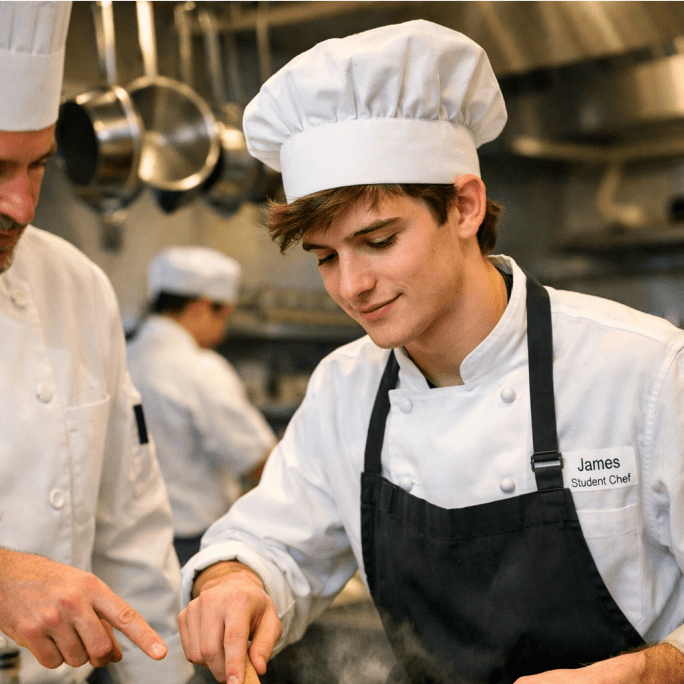
Larry Levy
Culinary Student
London
22 years old
Goals
Learn professional cooking fundamentals.
Learn basic techniques step by step.
Build confidence with expert guidance.
Frustrations
Doesn’t know which skills to prioritize.
Random content offers no clear learning path.
Cannot see whether his skills are improving.
Needs
A guided path with clear next steps.
Structured lessons from professional chefs.
Visible progress from beginner to intermediate.
Product implication
Searches for individual recipes but struggles to decide what skill to learn next.
Provide beginner-focused recommendations, guided progression, and visible progress.
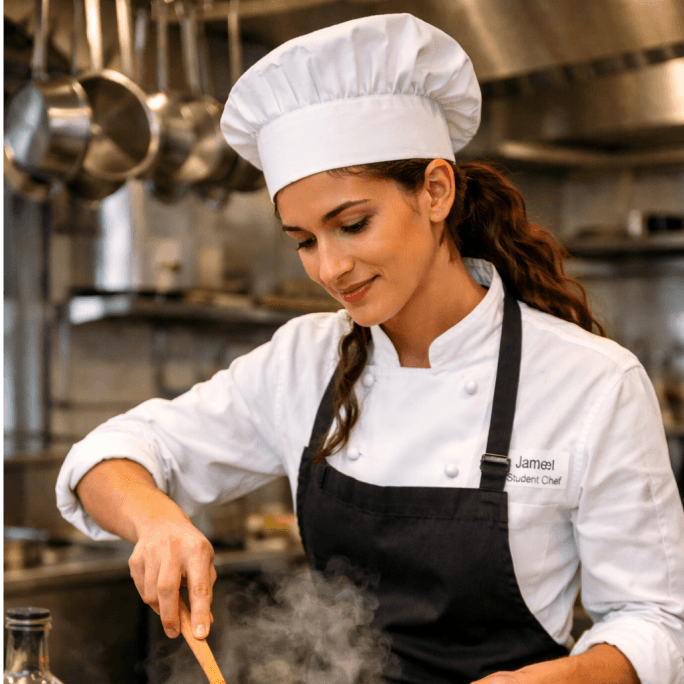
Sofia Martinez
Sous Chef
Barcelona
29 years old
Goals
Learn advanced techniques from top chefs.
Improve specialist skills such as plating and sauces.
Grow toward senior kitchen roles.
Frustrations
Generic content rarely matches her level.
Finding relevant expert content takes too long.
Progress and weak areas are difficult to measure.
Needs
Advanced content and expert instruction.
Recommendations based on her current skills.
Analytics that show strengths and skill gaps.
Product implication
Looks for specific advanced techniques rather than broad introductory courses.
Prioritize level-aware recommendations, expert content, and skill analytics.
Research Goal
The main research question was:
“How can the product help chefs discover relevant learning content, understand what to learn next, and track their professional development in one place?”
The process included lightweight desk research, competitor analysis, feature prioritization and exploration of existing culinary learning platforms.
Research
The research focused on understanding how chefs improve their professional skills, what makes learning difficult, and how ChefPro could make the process more focused and easier to continue.
Competitive Research
Competitor
Main Strength
Opportunity for ChefPro
ChefSteps
Strong focus on cooking techniques, detailed recipes, and educational culinary content.
Connect learning content more directly to personal goals, mentor discovery, and skill progression.
Scoolinary
Structured culinary courses taught by professional chefs across multiple specialties.
Create a more personalized dashboard experience that combines chefs, learning content, events, and progress.
Serious Eats
Large collection of recipes, techniques, and educational food content.
Provide a more structured professional-development experience instead of mainly supporting content discovery and reference.
Research insights that shaped the design
ChefPro should help users understand what to learn next instead of presenting a large library without direction.
Organizing techniques, recipes, and events around individual chefs creates a clearer and more engaging learning experience.
The dashboard recommends chefs and content based on skills, interests, goals, and recent activity.
Career goals, skill development, and learning activity give users feedback and encourage them to continue improving.
Recommended chefs, Continue Learning, and progress analytics were prioritized over secondary features.
Main Opportunity
Discover Chef
→
Choose Content
→
Learn
→
Track Progress
→
Continue Improving
The Solution
1
Guided learning dashboard
A platform that helps chefs discover mentors, techniques, and recipes in one place, with personalized guidance for both beginners and advanced users.
2
Smart skill development & progress tracking
An interactive system that combines learning and analytics, allowing users to start lessons, track progress, and improve consistently.
Structure & Flow
The prioritised features were mapped into a site structure, then walked through as one scenario: a chef arriving with a goal and leaving with a lesson.
Features
14
opportunities mapped
7
high priority
9
on the homepage
5
feature themes
GUIDED PATH
HIGH PRIORITY
Beginners had no idea where to start
Nothing sequenced the journey, and top tier expertise felt out of reach.
Personalized chef recommendations
Guided chef → technique → lesson flow
Michelin-level chefs & expert content
PROGRESS & FEEDBACK
HIGH PRIORITY
No way to see yourself improving
Learning had no memory and no measure, so motivation had nothing to hold onto.
Career goal progress
Skill bars & radar
Continue Learning
Progress indicators
FINDING CONTENT
HIGH PRIORITY
Relevant content was hard to surface
Browsing didn’t adapt to skill level, and there was no way to narrow the library.
Chef cards with tabs
Level-based personalization
Filtering & search
SAVING & RETURNING
MEDIUM PRIORITY
Anything good was lost on exit
There was no central place to keep content, and no trail back to what was already seen.
My Collection
Recently Viewed
REAL WORLD PRACTICE
MEDIUM PRIORITY
Learning stayed theoretical
Nothing connected the lessons to real kitchens or the chefs teaching them.
Technique lessons from real chefs
Events & masterclasses
Information Architecture

User Flow
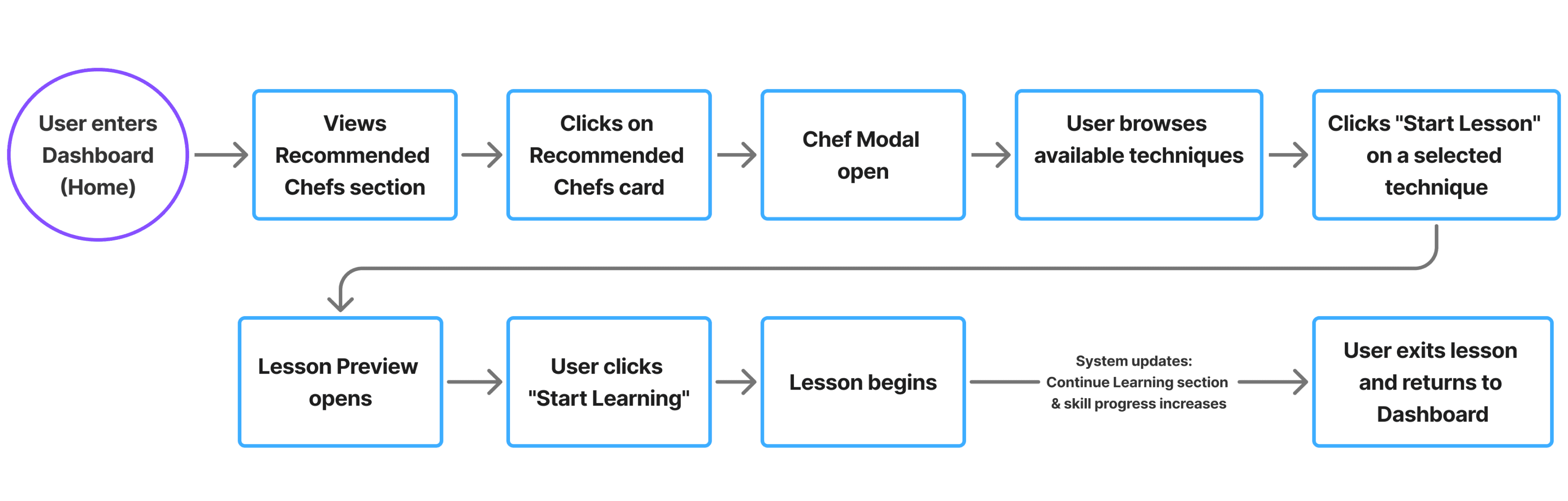
I chose this scenario to highlight a key moment where a chef enters the platform with a desire to improve but lacks clear direction.

Design Evolution
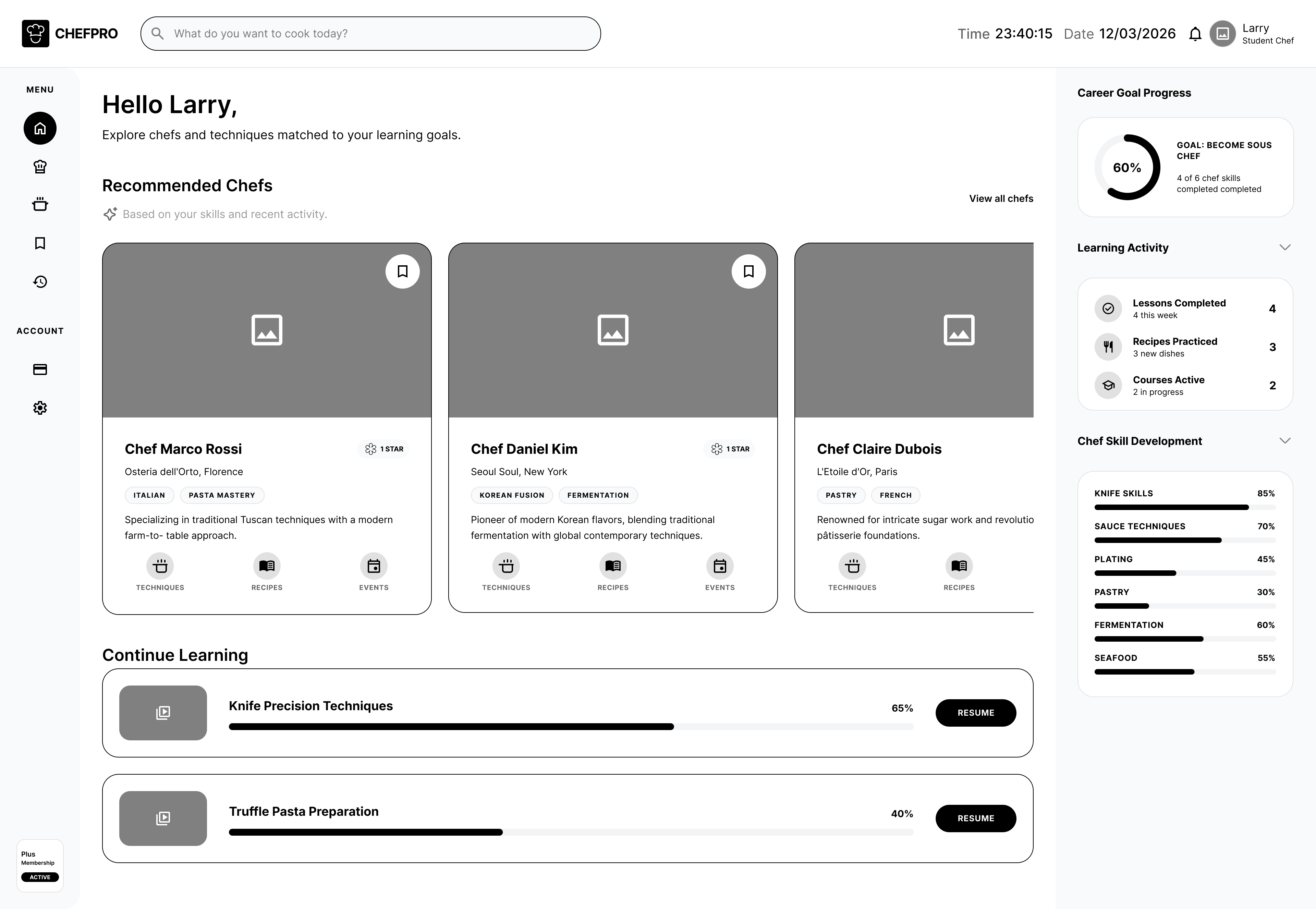
From low fidelity wireframes through the colour and type system to the final high fidelity interface.
Mid-Fidelity Wireframes

Design System
Red = passion, appetite, action | Cream = calm, clean, culinary base | Green = progress, growth, success


High-Fidelity Wireframe
Reflection
The biggest challenge was balancing a professional system with a focused 3 day scope. I chose to prioritize one strong learning loop instead of expanding the product with many secondary features,
1
Core flow
Connected finding a chef, opening their profile, choosing a technique, and starting a lesson into one clear dashboard journey.
2
Still to validate
Test whether recommendations, progress analytics, and navigation are clear to beginners and experienced chefs.
3
Priority test tasks
Test whether users can find a relevant chef, start or resume a lesson, save a recipe, and understand their current progress.
4
Next iteration
Use testing findings to clarify recommendations and progress analytics, then remove unnecessary complexity from the chef profile modal.
© 2026 Artur's Portfolio.
ChefPro
Created a learning dashboard for chefs to improve their skills within 3 days.
View Prototype
Tools Used

Introduction
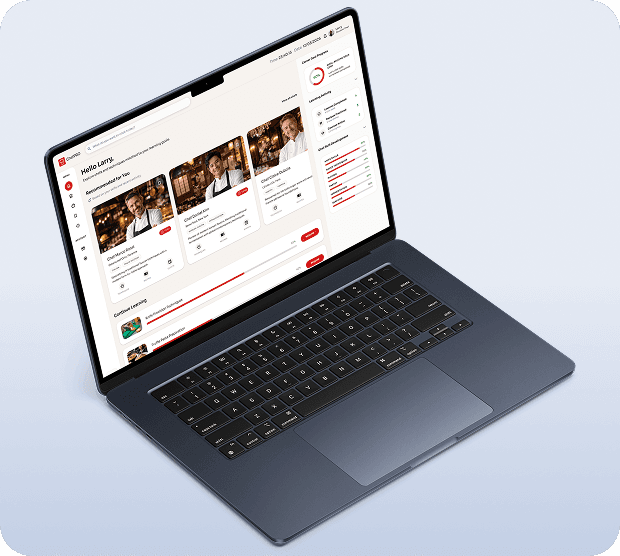
ChefPro is a concept learning dashboard for professional chefs, combining mentor discovery, technique lessons and progress tracking in one place. The product was designed end to end in three days, from research and personas through information architecture, user flows and the final interface.
Context
The Goal
Helping chefs at different skill levels discover, learn, and track professional cooking skills through a clear, guided dashboard experience.
Target Users
Beginner chefs who want to improve but don’t know where to start.
More experienced chefs who want to learn
advanced techniques and deepen their skills.
User Personas
These proto personas were based on desk research and early assumptions about culinary students and working chefs. They helped guide the three day concept sprint.
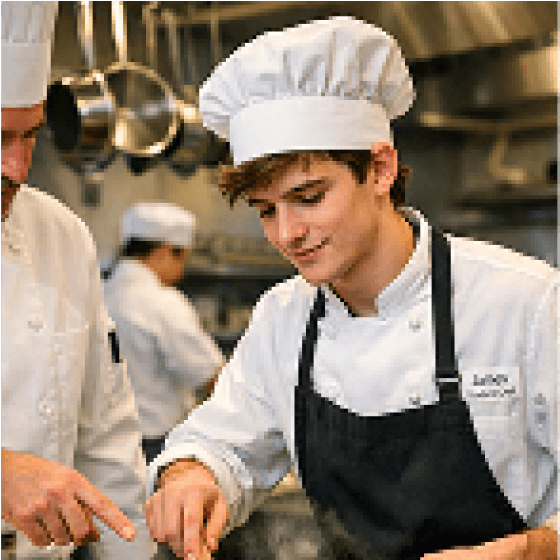
Larry Levy
Culinary Student
London
22 years old
Goals
Learn professional cooking fundamentals.
Learn basic techniques step by step.
Build confidence with expert guidance.
Frustrations
Doesn’t know which skills to prioritize.
Random content offers no clear learning path.
Cannot see whether his skills are improving.
Needs
A guided path with clear next steps.
Structured lessons from professional chefs.
Visible progress from beginner to intermediate.
Product implication
Searches for individual recipes but struggles to decide what skill to learn next.
Provide beginner-focused recommendations, guided progression, and visible progress.
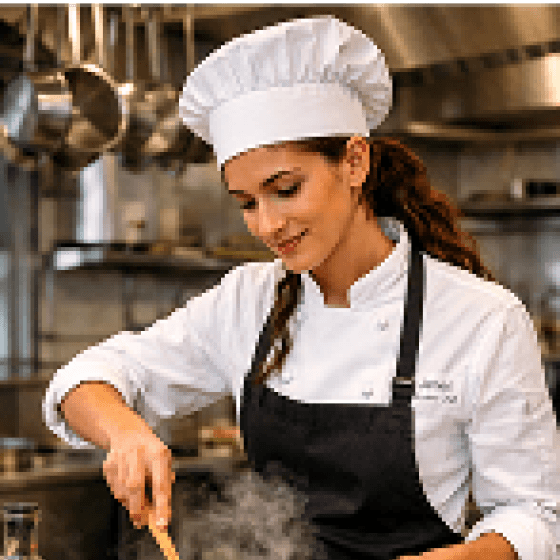
Sofia Martinez
Sous Chef
Barcelona
29 years old
Goals
Learn advanced techniques from top chefs.
Improve specialist skills such as plating and sauces.
Grow toward senior kitchen roles.
Frustrations
Generic content rarely matches her level.
Finding relevant expert content takes too long.
Progress and weak areas are difficult to measure.
Needs
Advanced content and expert instruction.
Recommendations based on her current skills.
Analytics that show strengths and skill gaps.
Product implication
Looks for specific advanced techniques rather than broad introductory courses.
Prioritize level-aware recommendations, expert content, and skill analytics.
Research Goal
The main research question was:
“How can the product help chefs discover relevant learning content, understand what to learn next, and track their professional development in one place?”
The process included lightweight desk research, competitor analysis, feature prioritization and exploration of existing culinary learning platforms.
The Challenge
ChefPro began as a three-day concept sprint. Before moving into design, I defined the core challenge and identified the two chef audiences the product needed to support.
Research
The research focused on understanding how chefs improve their professional skills, what makes learning difficult, and how ChefPro could make the process more focused and easier to continue.
Competitive Research
Competitor
Main Strength
Opportunity for ChefPro
ChefSteps
Strong focus on cooking techniques, detailed recipes, and educational culinary content.
Connect learning content more directly to personal goals, mentor discovery, and skill progression.
Scoolinary
Structured culinary courses taught by professional chefs across multiple specialties.
Create a more personalized dashboard experience that combines chefs, learning content, events, and progress.
Serious Eats
Large collection of recipes, techniques, and educational food content.
Provide a more structured professional-development experience instead of mainly supporting content discovery and reference.
Research insights that shaped the design
ChefPro should help users understand what to learn next instead of presenting a large library without direction.
Organizing techniques, recipes, and events around individual chefs creates a clearer and more engaging learning experience.
The dashboard recommends chefs and content based on skills, interests, goals, and recent activity.
Career goals, skill development, and learning activity give users feedback and encourage them to continue improving.
Recommended chefs, Continue Learning, and progress analytics were prioritized over secondary features.

The Solution
1
Guided learning dashboard
A platform that helps chefs discover mentors, techniques, and recipes in one place, with personalized guidance for both beginners and advanced users.
2
Smart skill development & progress tracking
An interactive system that combines learning and analytics, allowing users to start lessons, track progress, and improve consistently.
Structure & Flow
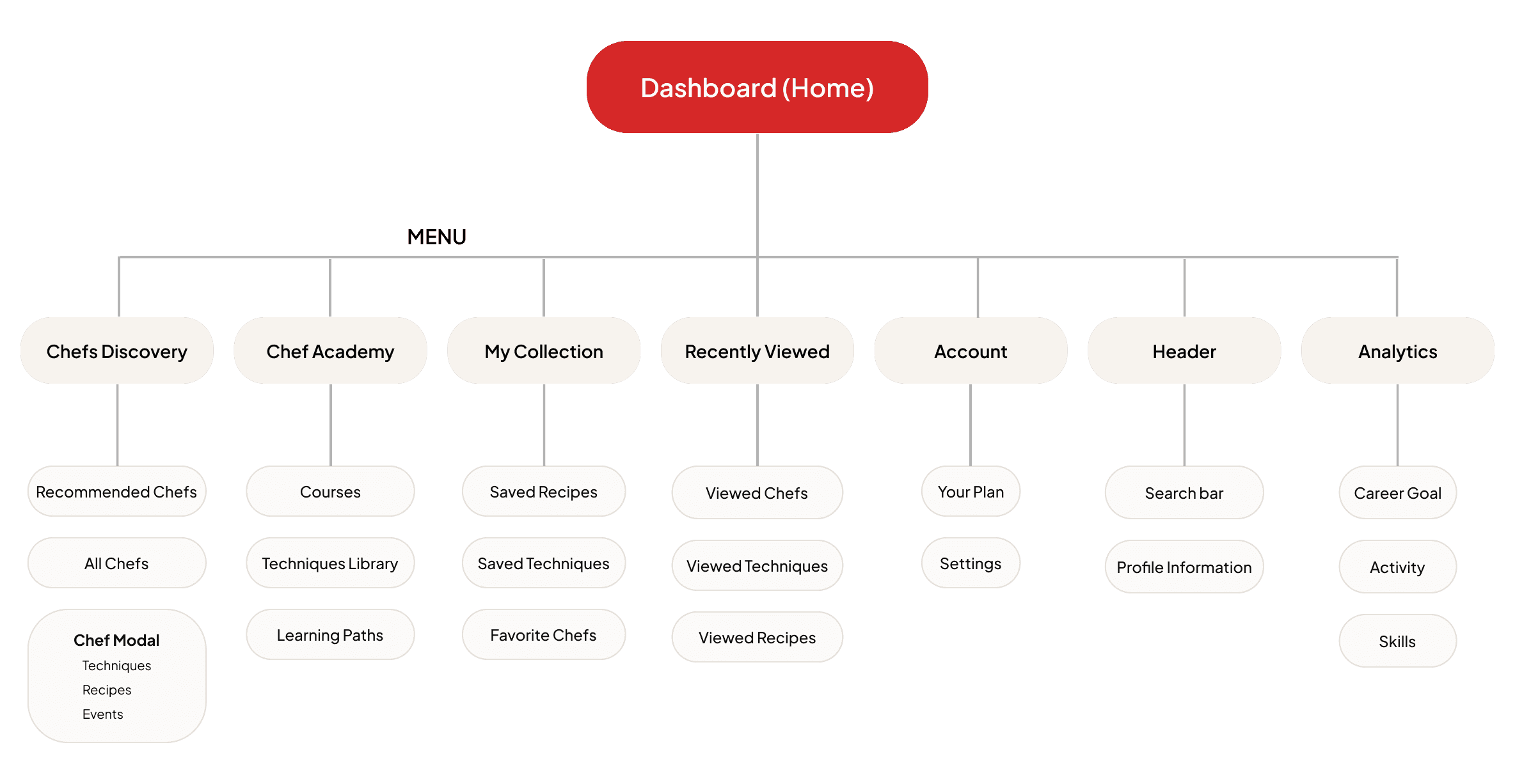
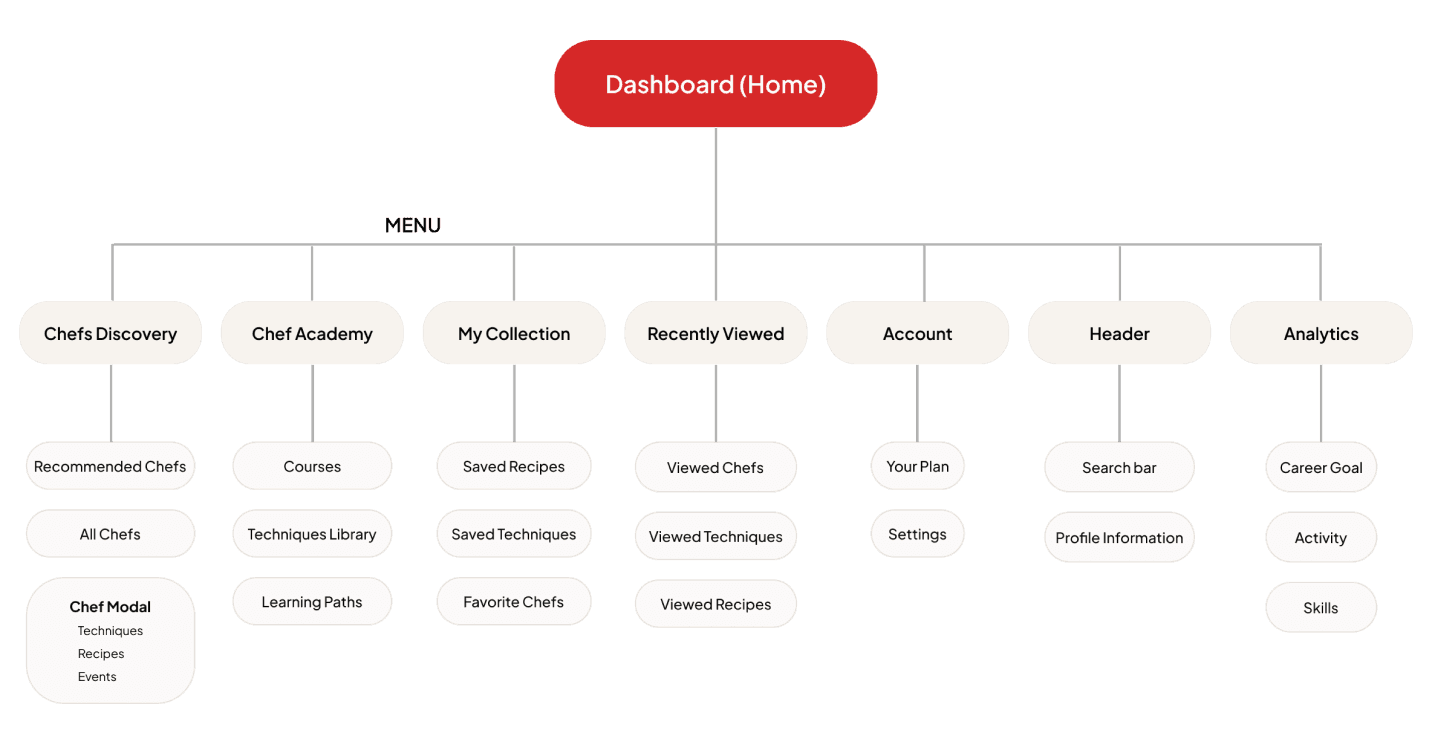
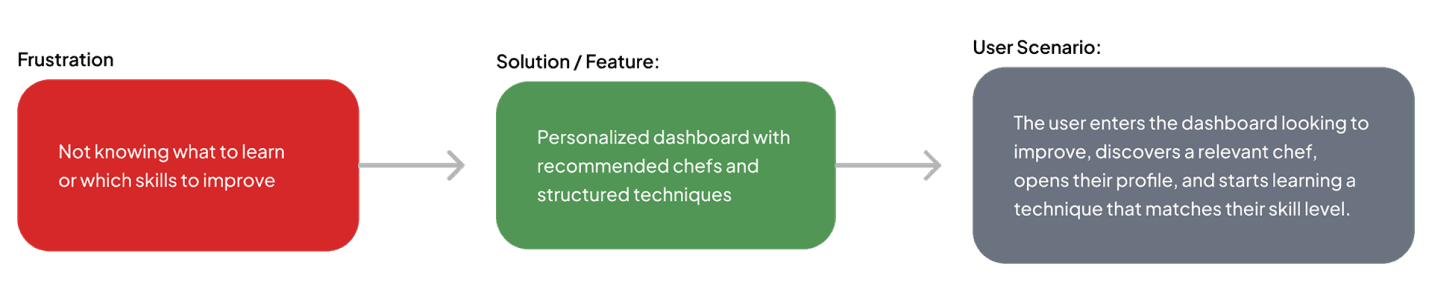
The prioritised features were mapped into a site structure, then walked through as one scenario: a chef arriving with a goal and leaving with a lesson.
Features
14
opportunities mapped
7
high priority
9
on the homepage
5
feature themes
GUIDED PATH
HIGH PRIORITY
Beginners had no idea where to start
Nothing sequenced the journey, and top-tier expertise felt out of reach.
Personalized chef recommendations
Guided chef → technique → lesson flow
Michelin-level chefs & expert content
PROGRESS & FEEDBACK
HIGH PRIORITY
No way to see yourself improving
Learning had no memory and no measure, so motivation had nothing to hold onto.
Career goal progress
Skill bars & radar
Continue Learning
Progress indicators
FINDING CONTENT
HIGH PRIORITY
Relevant content was hard to surface
Browsing didn’t adapt to skill level, and there was no way to narrow the library.
Chef cards with tabs
Level-based personalization
Filtering & search
SAVING & RETURNING
MEDIUM PRIORITY
Anything good was lost on exit
There was no central place to keep content, and no trail back to what was already seen.
My Collection
Recently Viewed
REAL WORLD PRACTICE
MEDIUM PRIORITY
Learning stayed theoretical
Nothing connected the lessons to real kitchens or the chefs teaching them.
Technique lessons from real chefs
Events & masterclasses
Information Architecture
User Flow
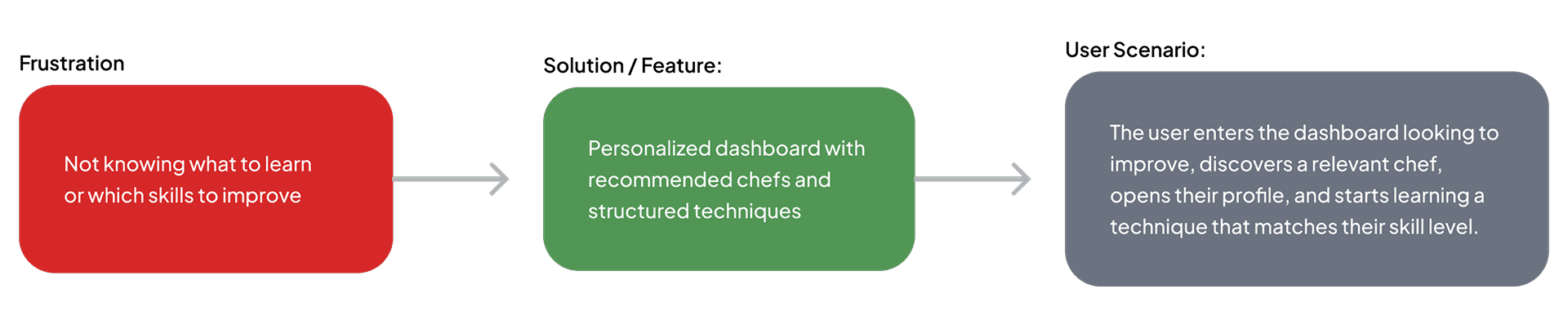
I chose this scenario to highlight a key moment where a chef enters the platform with a desire to improve but lacks clear direction.

Design Evolution
From low fidelity wireframes through the colour and type system to the final high fidelity interface.
Mid-Fidelity Wireframes
Design System
Red = passion, appetite, action | Cream = calm, clean, culinary base | Green = progress, growth, success
High-Fidelity Wireframe
Reflection
The biggest challenge was balancing a professional system with a focused 3 day scope. I chose to prioritize one strong learning loop instead of expanding the product with many secondary features,
1
Core flow
Connected finding a chef, opening their profile, choosing a technique, and starting a lesson into one clear dashboard journey.
2
Still to validate
Test whether recommendations, progress analytics, and navigation are clear to beginners and experienced chefs.
3
Priority test tasks
Test whether users can find a relevant chef, start or resume a lesson, save a recipe, and understand their current progress.
4
Next iteration
Use testing findings to clarify recommendations and progress analytics, then remove unnecessary complexity from the chef profile modal.
© 2026 Artur's Portfolio.
ChefPro
Created a learning dashboard for chefs to improve their skills within 3 days.
Tools Used


context
The Goal
Helping chefs at different skill levels discover, learn, and track professional cooking skills through a clear, guided dashboard experience.
Target Users
Beginner chefs who want to improve but don’t know where to start.
More experienced chefs who want to learn advanced techniques and deepen their skills
User Personas
These proto personas were based on desk research and early assumptions about culinary students and working chefs. They helped guide the three day concept sprint.
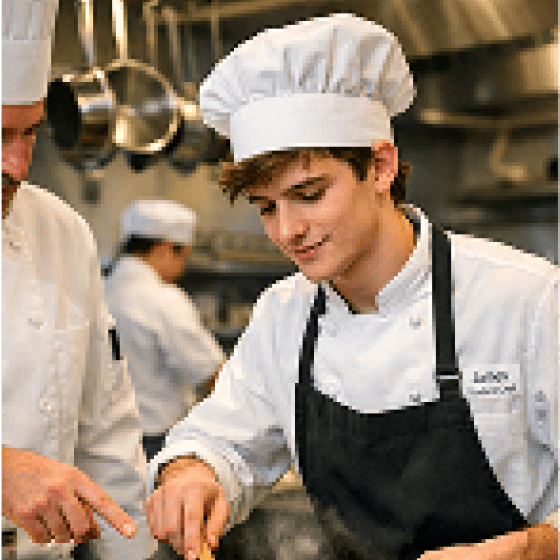
Larry Levy
Culinary Student
London
22 years old
Goals
Learn professional cooking fundamentals.
Learn basic techniques step by step.
Build confidence with expert guidance.
Frustrations
Doesn’t know which skills to prioritize.
Random content offers no clear learning path.
Cannot see whether his skills are improving.
Needs
A guided path with clear next steps.
Structured lessons from professional chefs.
Visible progress from beginner to intermediate.
Product implication
Searches for individual recipes but struggles to decide what skill to learn next.
Provide beginner-focused recommendations, guided progression, and visible progress.
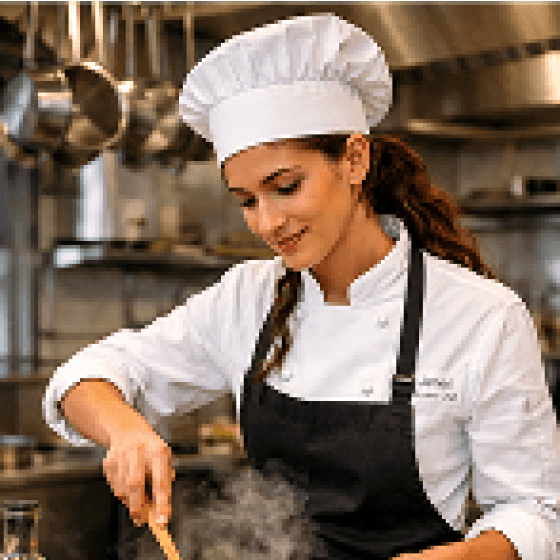
Sofia Martinez
Sous Chef
Barcelona
29 years old
Goals
Learn advanced techniques from top chefs.
Improve specialist skills such as plating and sauces.
Grow toward senior kitchen roles.
Frustrations
Generic content rarely matches her level.
Finding relevant expert content takes too long.
Progress and weak areas are difficult to measure.
Needs
Advanced content and expert instruction.
Recommendations based on her current skills.
Analytics that show strengths and skill gaps.
Product implication
Looks for specific advanced techniques rather than broad introductory courses.
Prioritize level-aware recommendations, expert content, and skill analytics.
The Challenge
ChefPro began as a three-day concept sprint. Before moving into design, I defined the core challenge and identified the two chef audiences the product needed to support.
Research Goal
The main research question was:
“How can the product help chefs discover relevant learning content, understand what to learn next, and track their professional development in one place?”
The process included lightweight desk research, competitor analysis, feature prioritization and exploration of existing culinary learning platforms.
Introduction
ChefPro is a concept learning dashboard for professional chefs, combining mentor discovery, technique lessons and progress tracking in one place. The product was designed end to end in three days, from research and personas through information architecture, user flows and the final interface.
Research
The research focused on understanding how chefs improve their professional skills, what makes learning difficult, and how ChefPro could make the process more focused and easier to continue.
Competitive Research
ChefSteps
Main Strength
Strong focus on cooking techniques, detailed recipes, and educational culinary content.
Opportunity for ChefPro
Connect learning content more directly to personal goals, mentor discovery, and skill progression.
Scoolinary
Main Strength
Structured culinary courses taught by professional chefs across multiple specialties.
Opportunity for ChefPro
Create a more personalized dashboard experience that combines chefs, learning content, events, and progress.
Serious Eats
Main Strength
Large collection of recipes, techniques, and educational food content.
Opportunity for ChefPro
Provide a more structured professional-development experience instead of mainly supporting content discovery and reference.
Research Insights that shaped the design
ChefPro should help users understand what to learn next instead of presenting a large library without direction.
Organizing techniques, recipes, and events around individual chefs creates a clearer and more engaging learning experience.
The dashboard recommends chefs and content based on skills, interests, goals, and recent activity.
Career goals, skill development, and learning activity give users feedback and encourage them to continue improving.
Recommended chefs, Continue Learning, and progress analytics were prioritized over secondary features.
Main Opportunity
Discover Chef
↓
Choose Content
↓
Learn
↓
Track Progress
↓
Continue Improving
The Solution
1
Guided learning dashboard
A platform that helps chefs discover mentors, techniques, and recipes in one place, with personalized guidance for both beginners and advanced users.
2
Smart skill development & progress
tracking
An interactive system that combines learning and analytics, allowing users to start lessons, track progress, and improve consistently.
Structure & Flow
The prioritised features were mapped into a site structure, then walked through as one scenario: a chef arriving with a goal and leaving with a lesson.
Features
14
opportunities mapped
7
high priority
9
on the homepage
5
feature themes
GUIDED PATH
HIGH PRIORITY
Beginners had no idea where to start
Nothing sequenced the journey, and top-tier expertise felt out of reach.
Personalized chef recommendations
Guided chef → technique → lesson flow
Michelin-level chefs & expert content
PROGRESS & FEEDBACK
HIGH PRIORITY
No way to see yourself improving
Learning had no memory and no measure, so motivation had nothing to hold onto.
Career goal progress
Skill bars & radar
Continue Learning
Progress indicators
FINDING CONTENT
HIGH PRIORITY
Relevant content was hard to surface
Browsing didn’t adapt to skill level, and there was no way to narrow the library.
Chef cards with tabs
Level-based personalization
Filtering & search
SAVING & RETURNING
MEDIUM PRIORITY
Anything good was lost on exit
There was no central place to keep content, and no trail back to what was already seen.
My Collection
Recently Viewed
REAL-WORLD PRACTICE
MEDIUM PRIORITY
Learning stayed theoretical
Nothing connected the lessons to real kitchens or the chefs teaching them.
Technique lessons from real chefs
Events & masterclasses
Information Architecture
User Flow
I chose this scenario to highlight a key moment where a chef enters the platform with a desire to improve but lacks clear direction.

Design Evolution
From mid fidelity wireframes through the color and type system to the final high fidelity interface.
Mid-Fidelity Wireframes
Design System
Red = passion, appetite, action
Cream = calm, clean, culinary base
Green = progress, growth, success

High-Fidelity Wireframe
Reflection
The biggest challenge was balancing a professional system with a focused 3 day scope. I chose to prioritize one strong learning loop instead of expanding the product with many secondary features,
1
Core flow
Connected finding a chef, opening their profile, choosing a technique, and starting a lesson into one clear dashboard journey.
2
Still to validate
Test whether recommendations, progress analytics, and navigation are clear to beginners and experienced chefs.
3
Priority test tasks
Test whether users can find a relevant chef, start or resume a lesson, save a recipe, and understand their current progress.
4
Next iteration
Use testing findings to clarify recommendations and progress analytics, then remove unnecessary complexity from the chef profile modal.