

ParkAlot
Redesigned core parking journey to help drivers find and navigate to nearby parking with less confusion.
Collaboration
1 Developer
Tools Used


View Prototype


Introduction
ParkAlot is a parking app that helps drivers find, compare and choose nearby parking in car-dependent cities. The existing build worked but was hard to use, so the product was reviewed screen by screen, redesigned around real drivers’ journeys and improved while preserving much of the developer’s original design system. It was then tested again with users after release.
The Challenge
The existing app was functional, but did not fully reflect how drivers search for parking under time pressure. The redesign focused on simplifying this journey.
Context
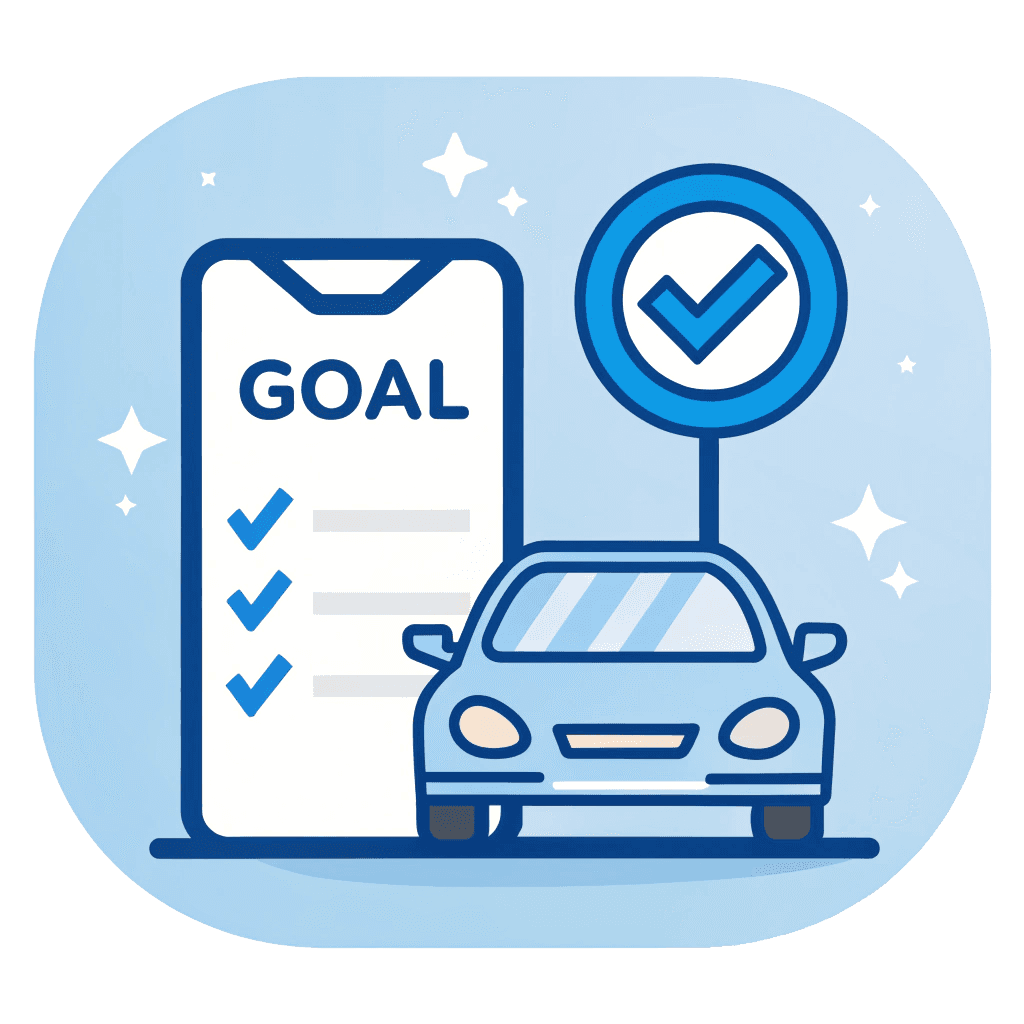
The Goal
Simplify the parking experience by helping drivers quickly find, compare and choose nearby parking options while saving time and lowering costs in car-dependent urban environments.
Target Users
Independent drivers aged 24 and above who frequently search for nearby parking options in large urban areas.
User Flow
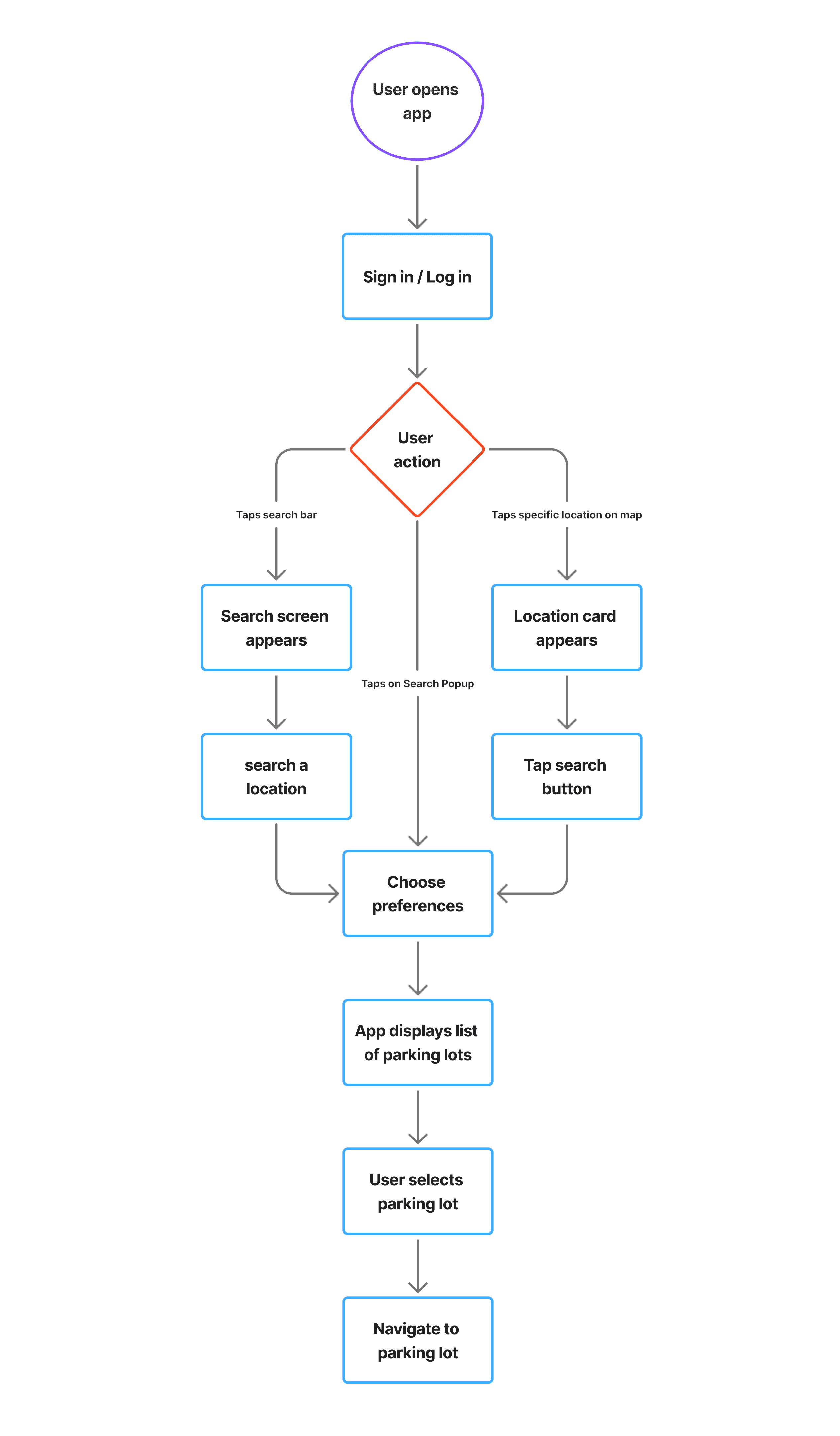
The flow represents the app’s primary scenario, highlighting how it supports drivers who need to find
nearby parking. The main flow consists of seven screens including the registration process, and five screens when the registration process is excluded.
User Survey
METHOD
Qualitative, Semi-structured interviews
FORMAT
Face-to-face usability testing
SAMPLE
8 participants
WHY THIS APPROACH
The product was still in development and available only in test mode, so guerrilla approach testing was the fastest way to gather actionable feedback.
Before & After Screens
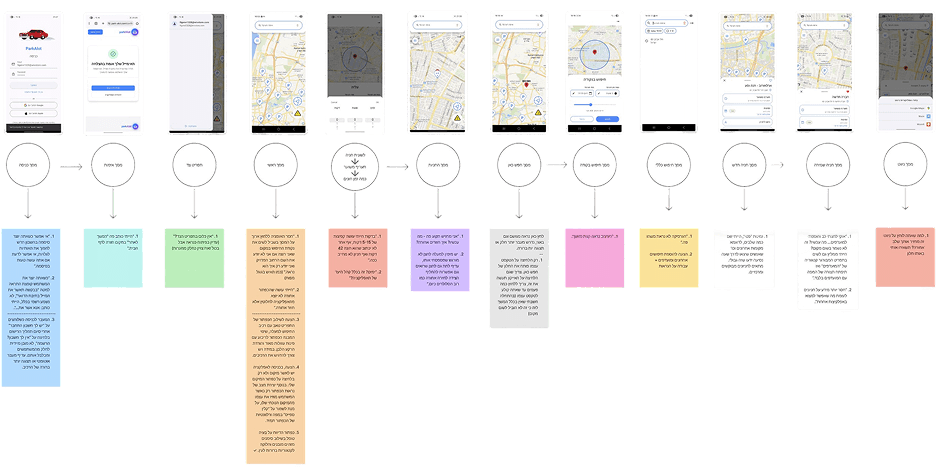
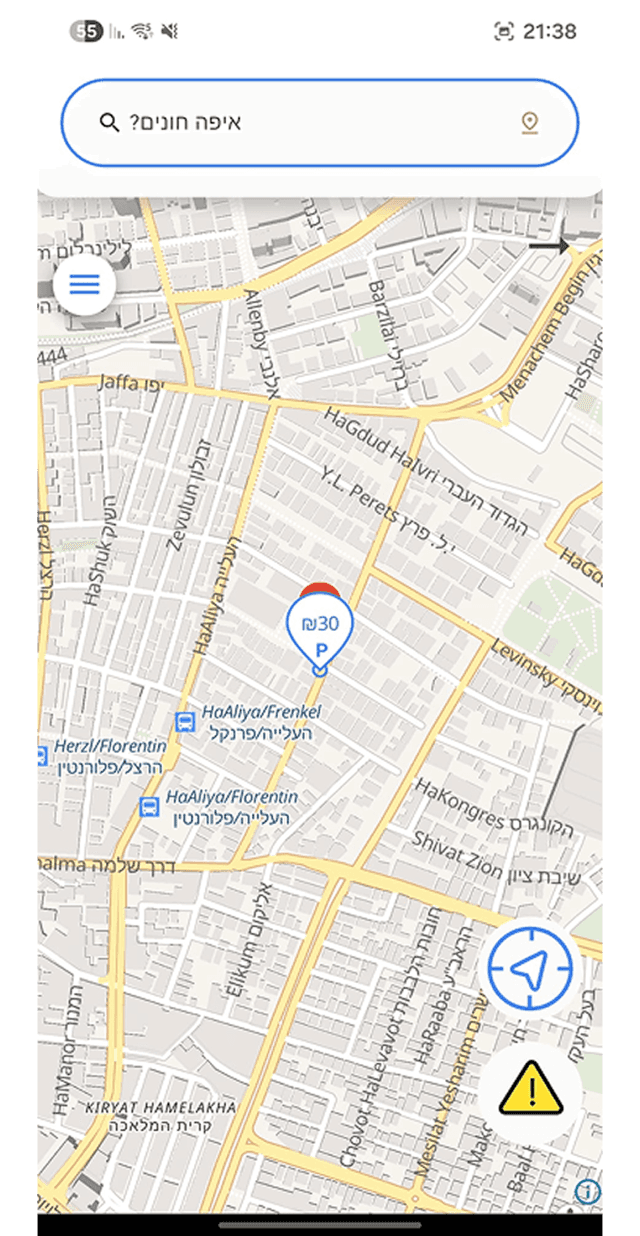
Every screen of the original build was reviewed against its redesign, from authentication through to the core parking flow.
SCREEN 01
AUTHENTICATION
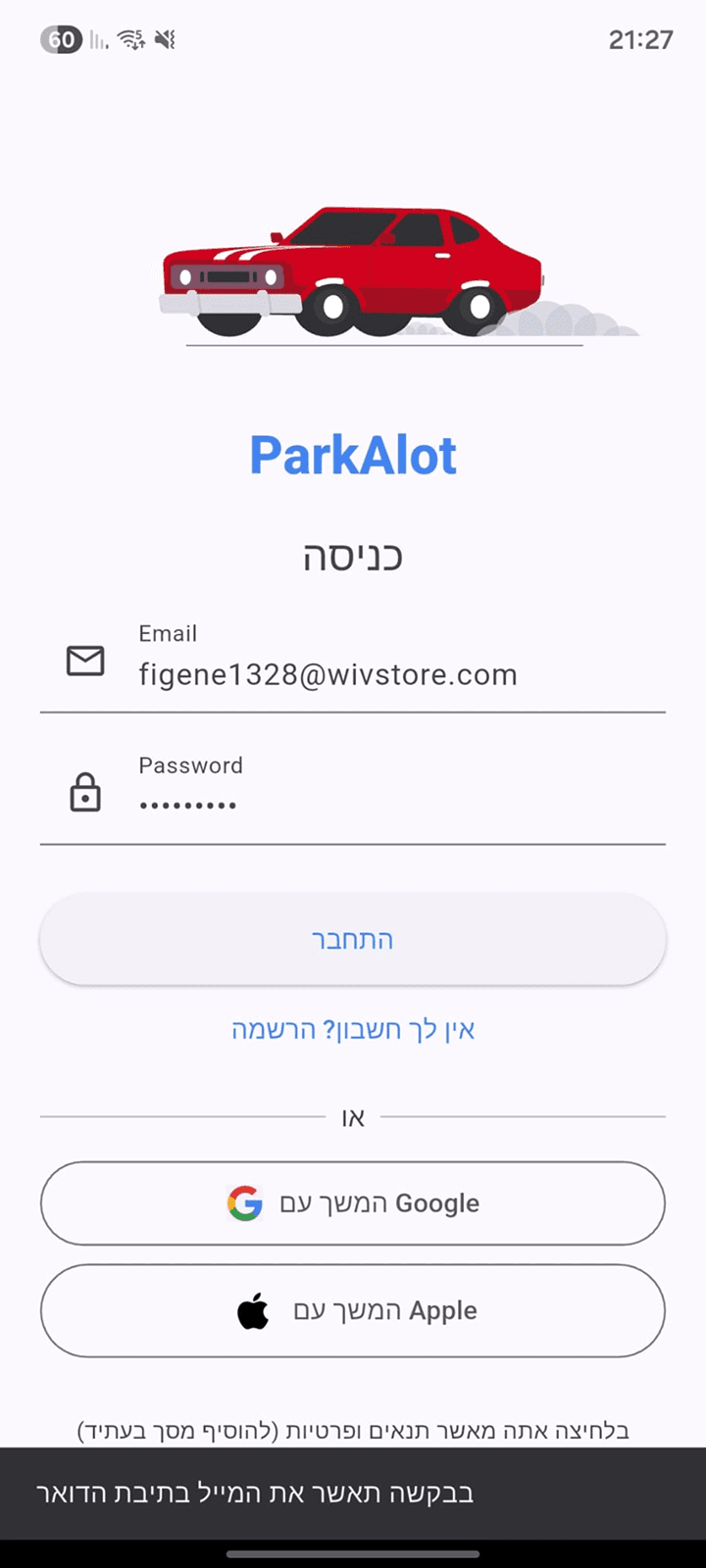
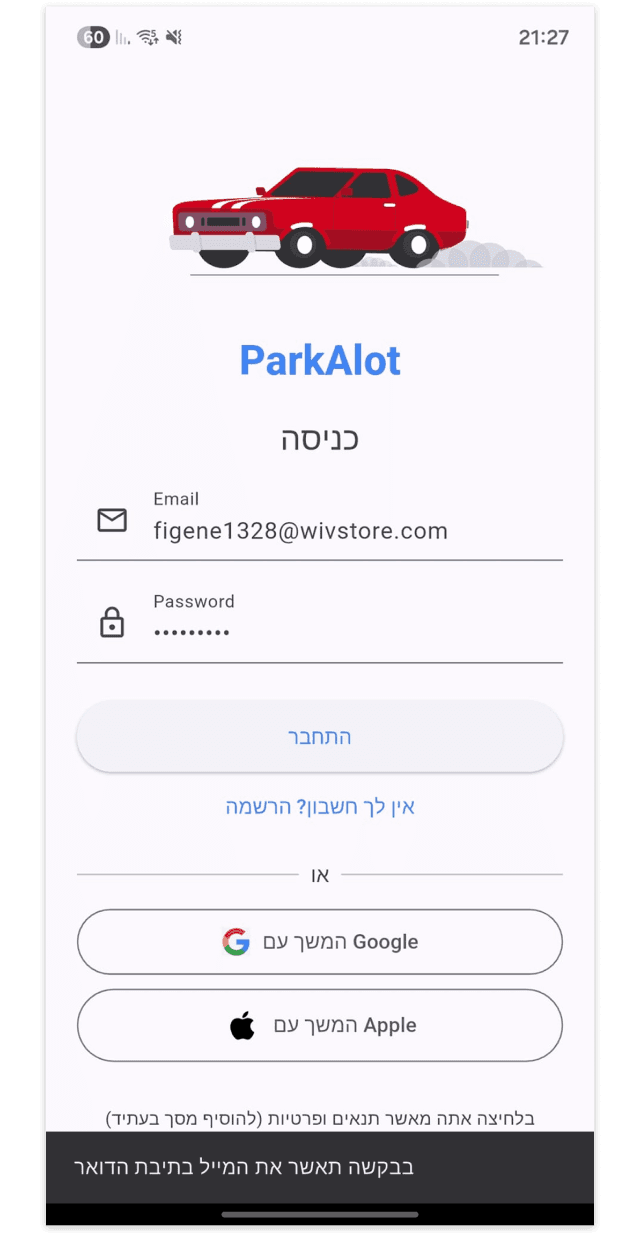
Sign In / login enhancements

Added a visible password toggle to reduce input errors during account creation.
Refined system notifications and microcopy to create a clearer and more professional onboarding experience.
Improved the transition between registration and login by introducing a clearer visual flow and reducing user confusion after sign-up.
SCREEN 02
ACCOUNT CONFIRMATION
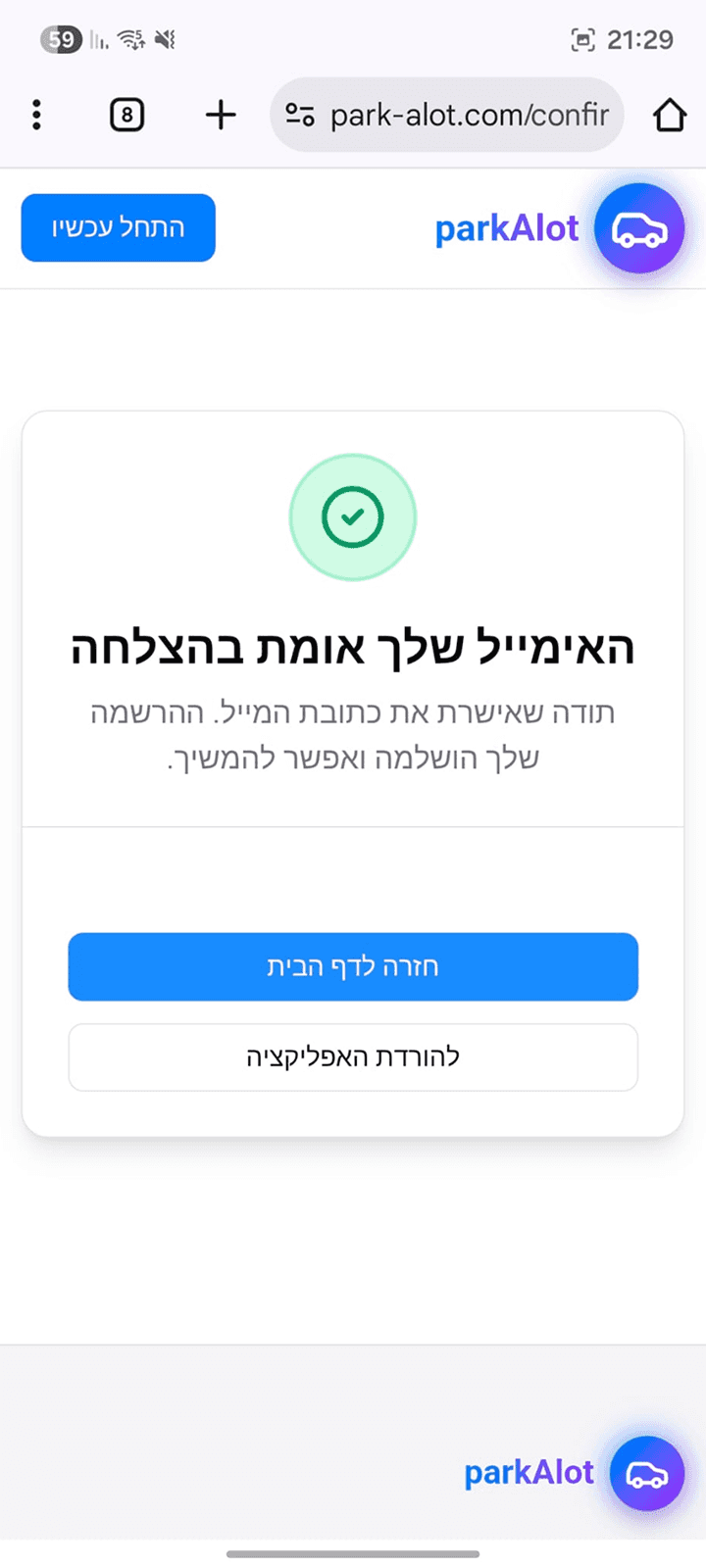
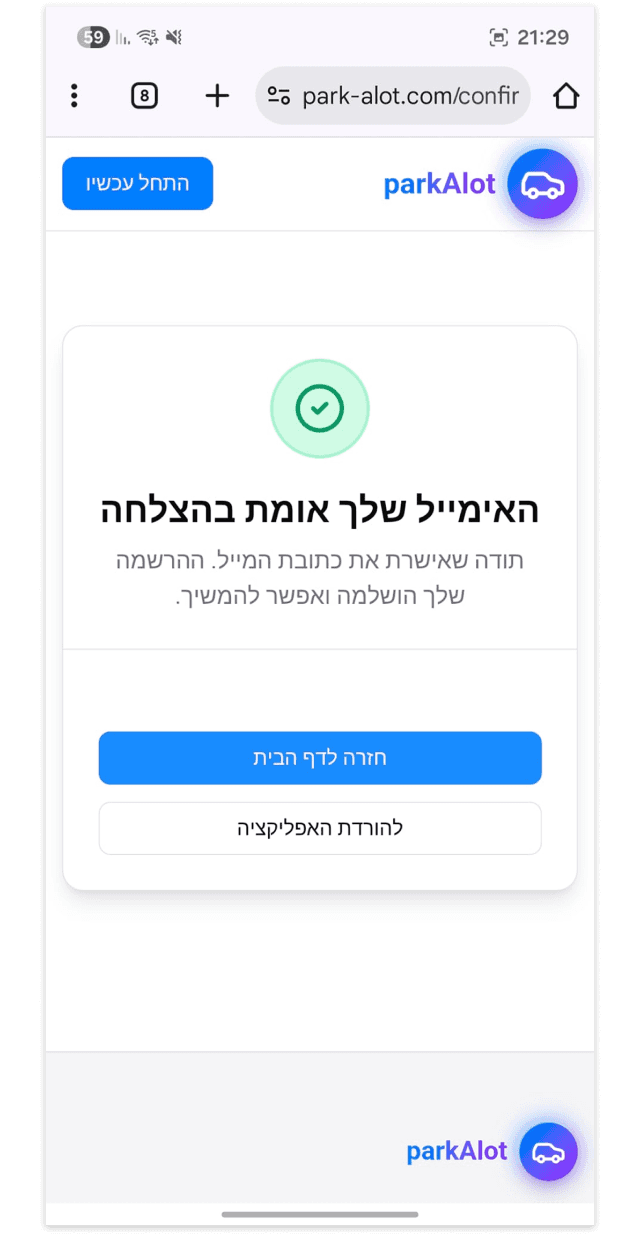
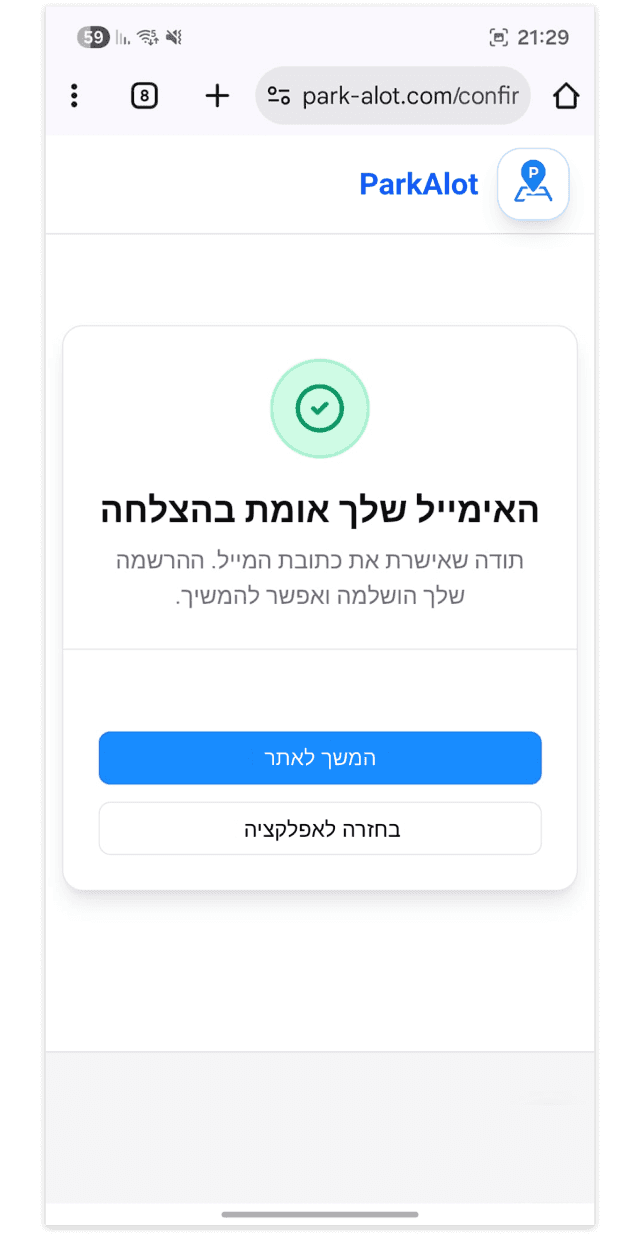
Microcopy improvements
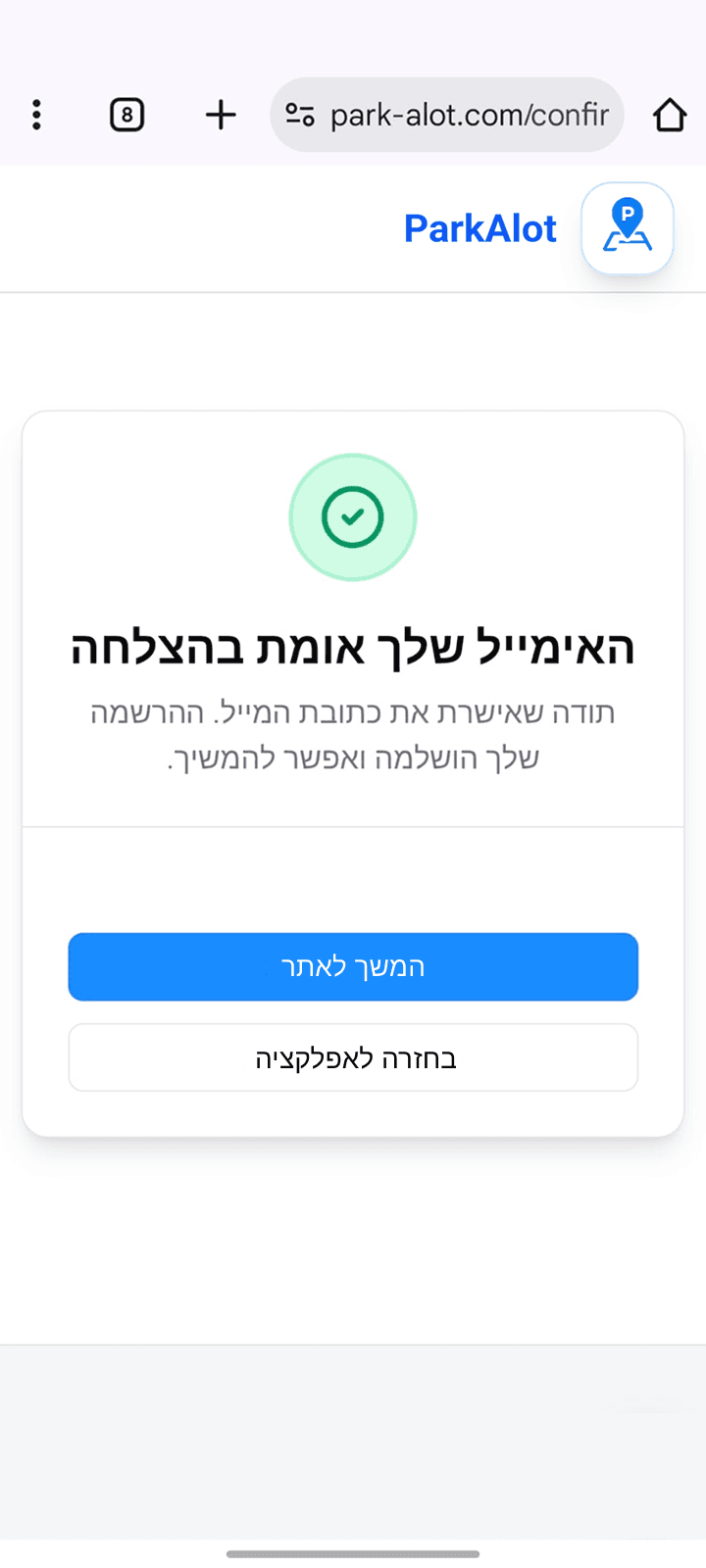
Refined button labels and CTA wording to better match the user’s current flow from entering the mobile app and reduce confusion.
SCREEN 03
MAP INTERACTIONS
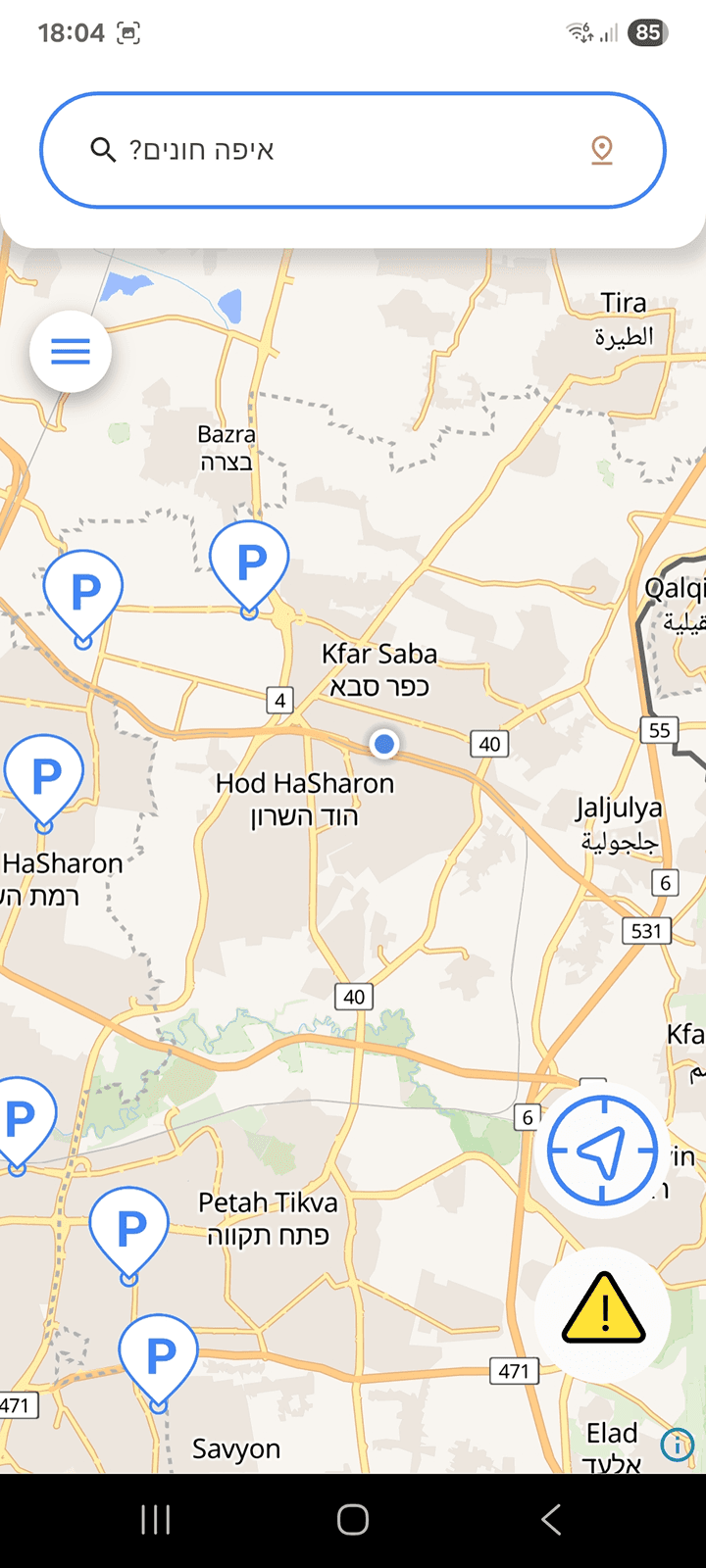
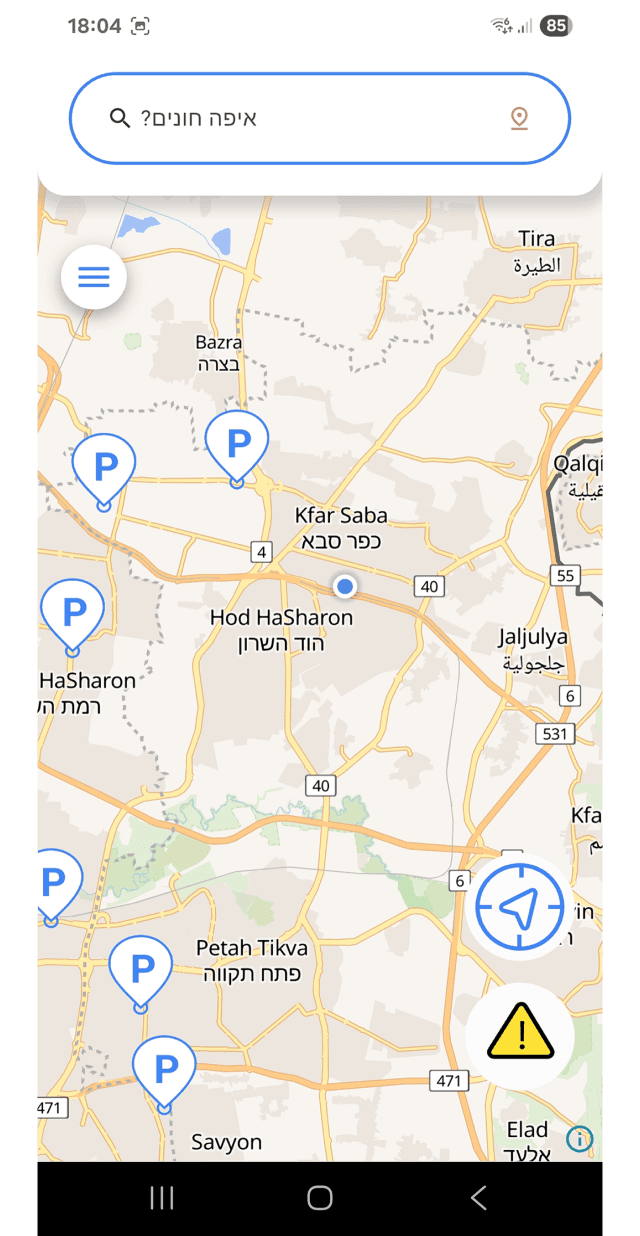
Fixed report categories

Location permission prompt

Search & location controls
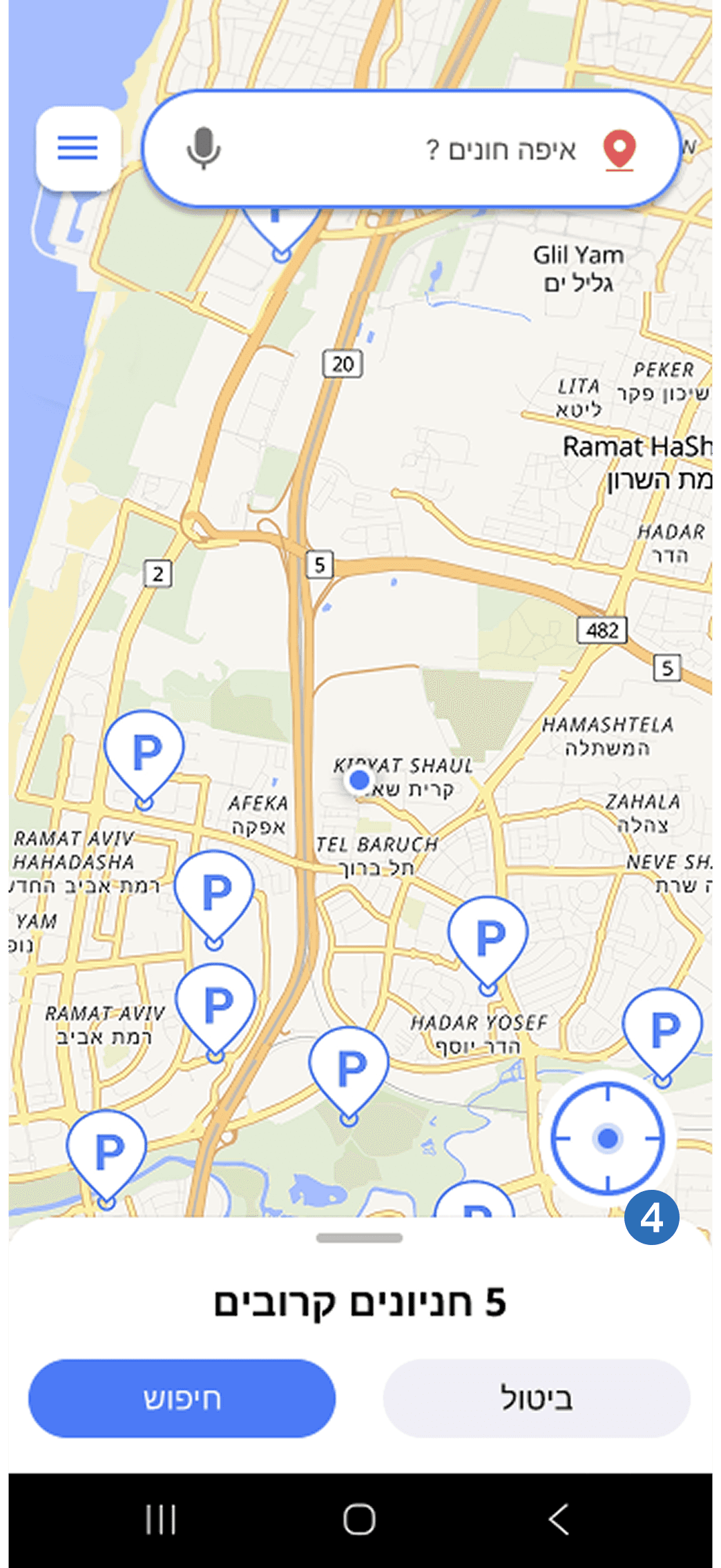
Exit app modal

Improved the problem-report system by adding clearer identifying icons and visually separated reporting categories.
Introduced location permission approval on app entry and added dynamic location button states to better inform users about their current position.
Redesigned the search and menu area by combining components, simplifying the button shape, and reducing unnecessary map obstruction.
Added long-press map interaction to allow users to select locations visually without needing the exact street name.
Added an exit confirmation modal to prevent users from leaving the app immediately when pressing the back button.
SCREEN 04
SEARCH INTERACTION
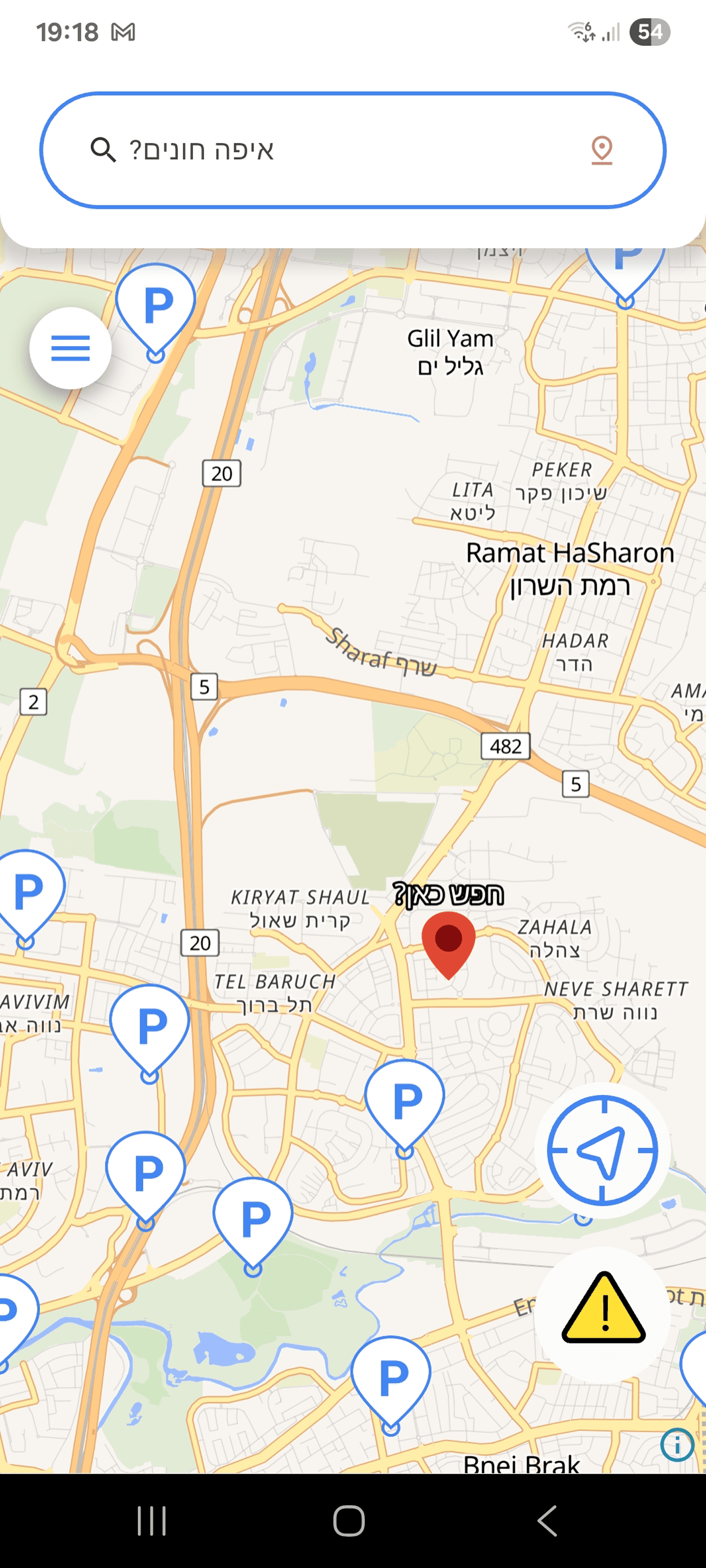
Improved location search
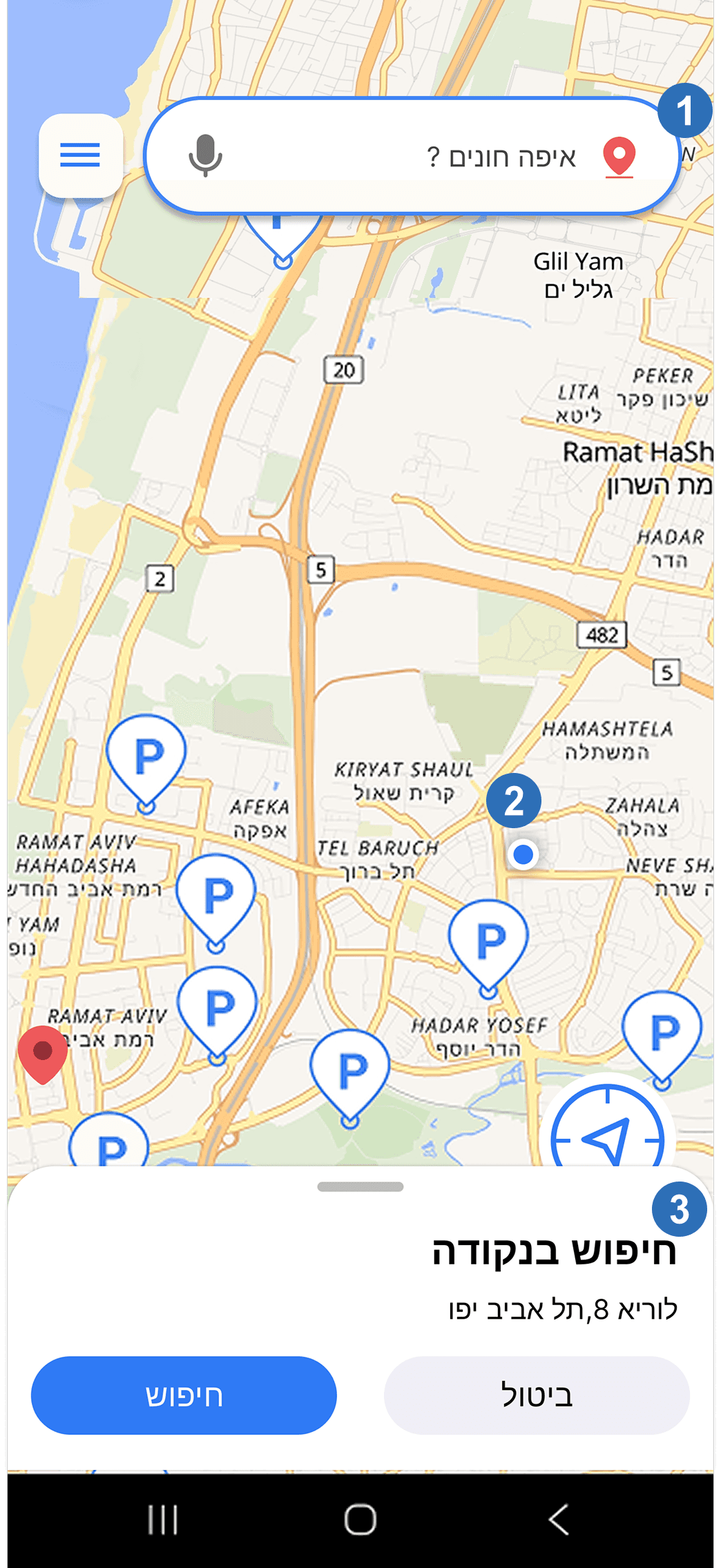
Expanded the clickable area of the search component so both the text and icon trigger the interaction.
Improved interaction feedback and touch responsiveness to reduce confusion and repeated presses.
Refined the “Search Here” interaction with clearer visual guidance and smoother transitions to improve usability.
SCREEN 05
SEARCH EXPERIENCE
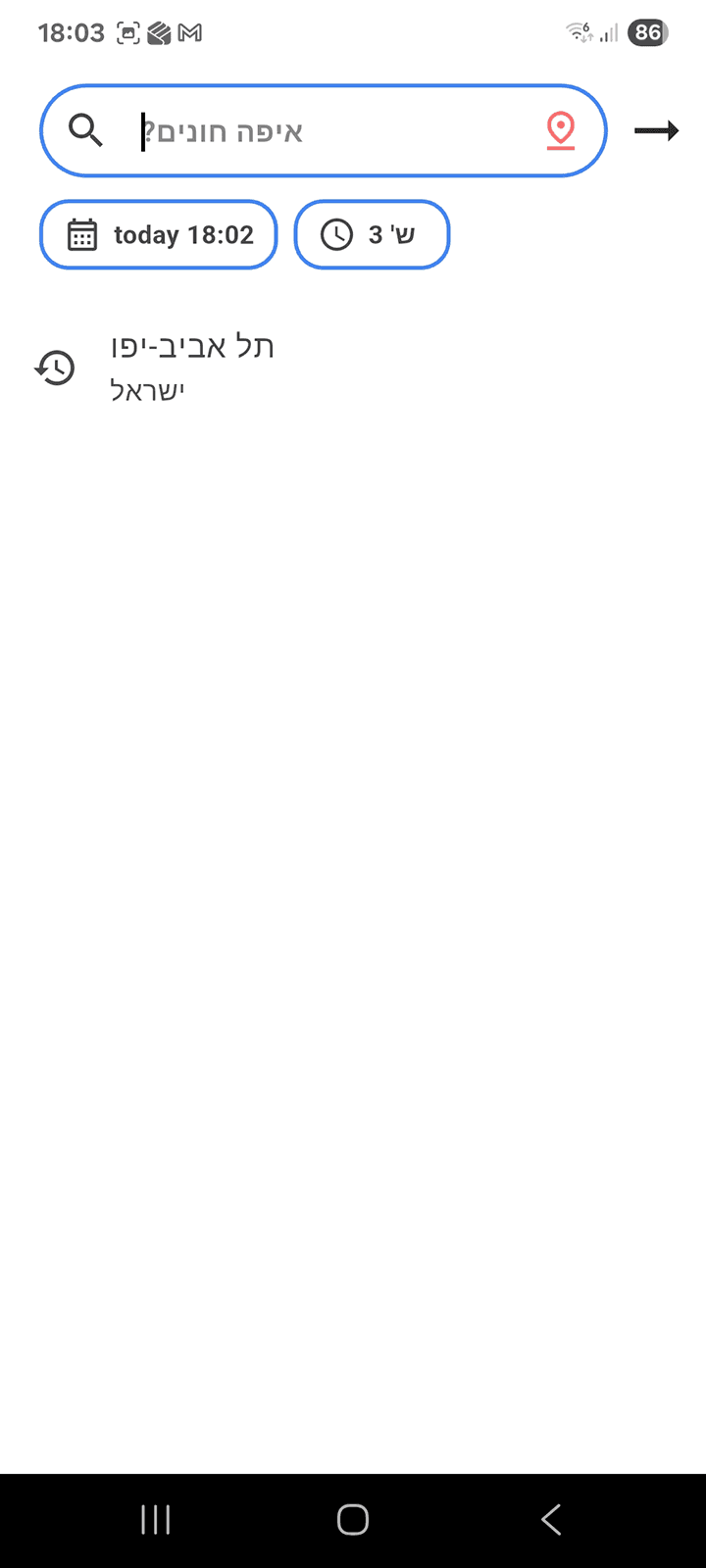
Search history

Clear searches history

Saved searches

Improved location search visibility and guidance to make the search flow more intuitive for users.
Refined the visual design and graphics to create a cleaner and more modern interface.
Added recent searches and favorites to improve accessibility and speed up repeated parking searches.
SCREEN 06
SEARCH PREFERENCES
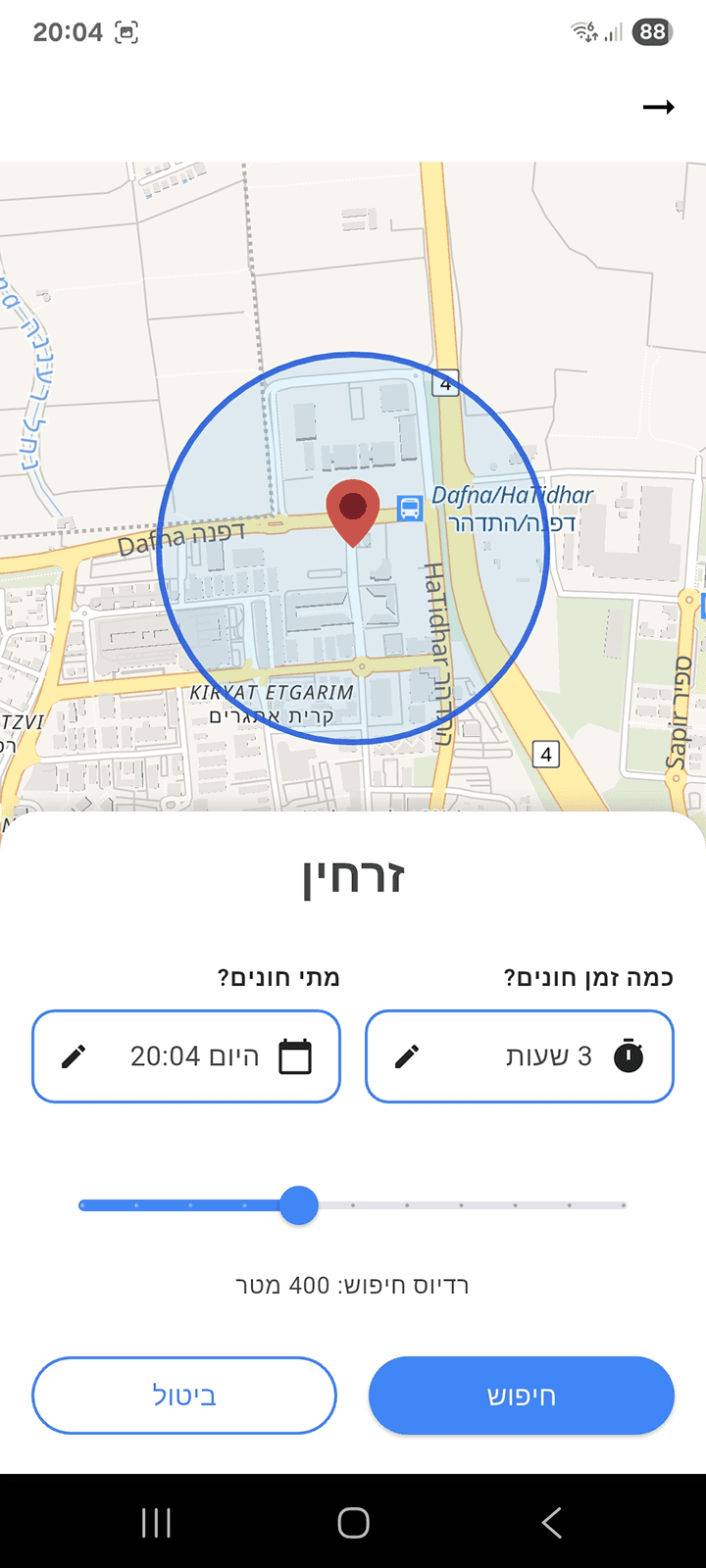
Parking location search

Nearby search

Refined the UI to improve visual clarity, consistency, and overall usability.
SCREEN 07
INPUT INFORMATION
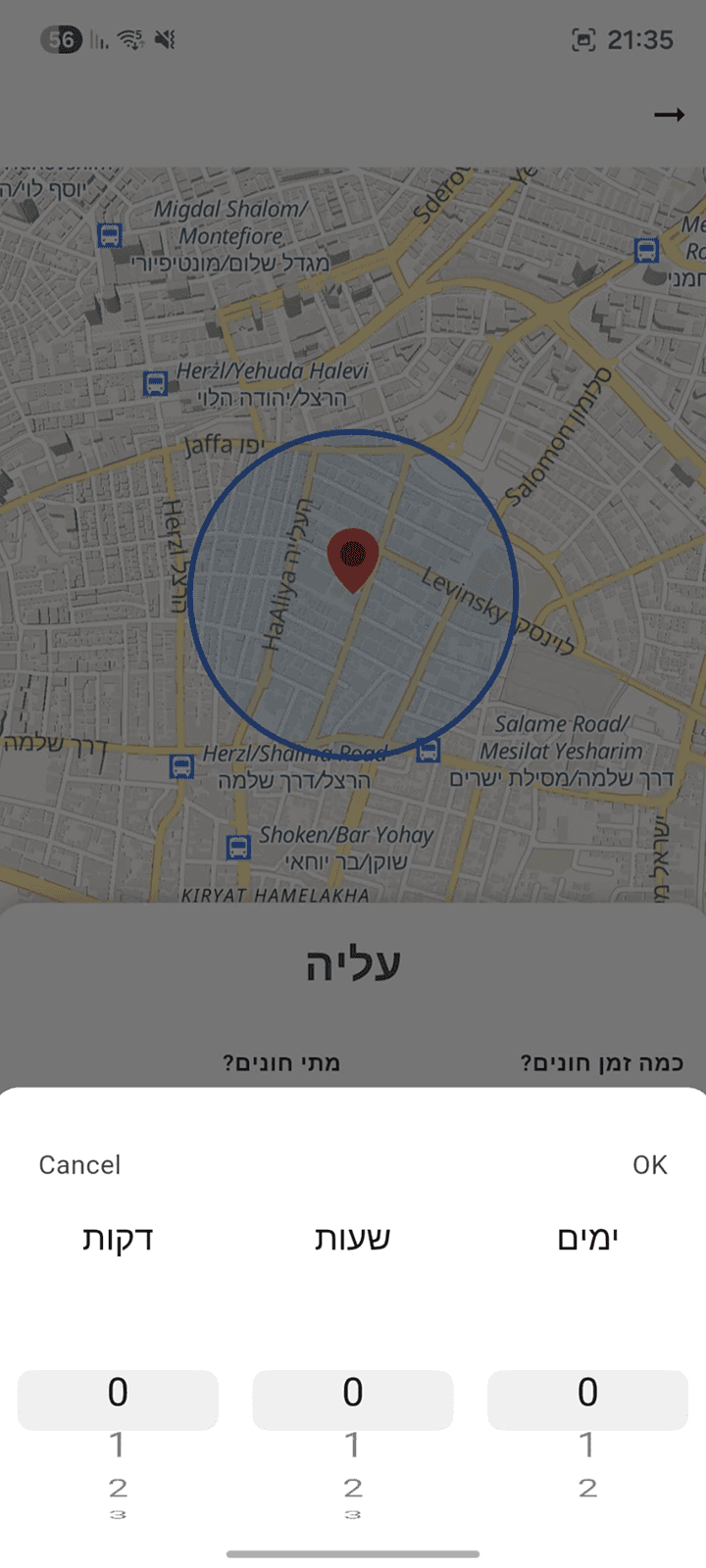
Time modal

Hour modal
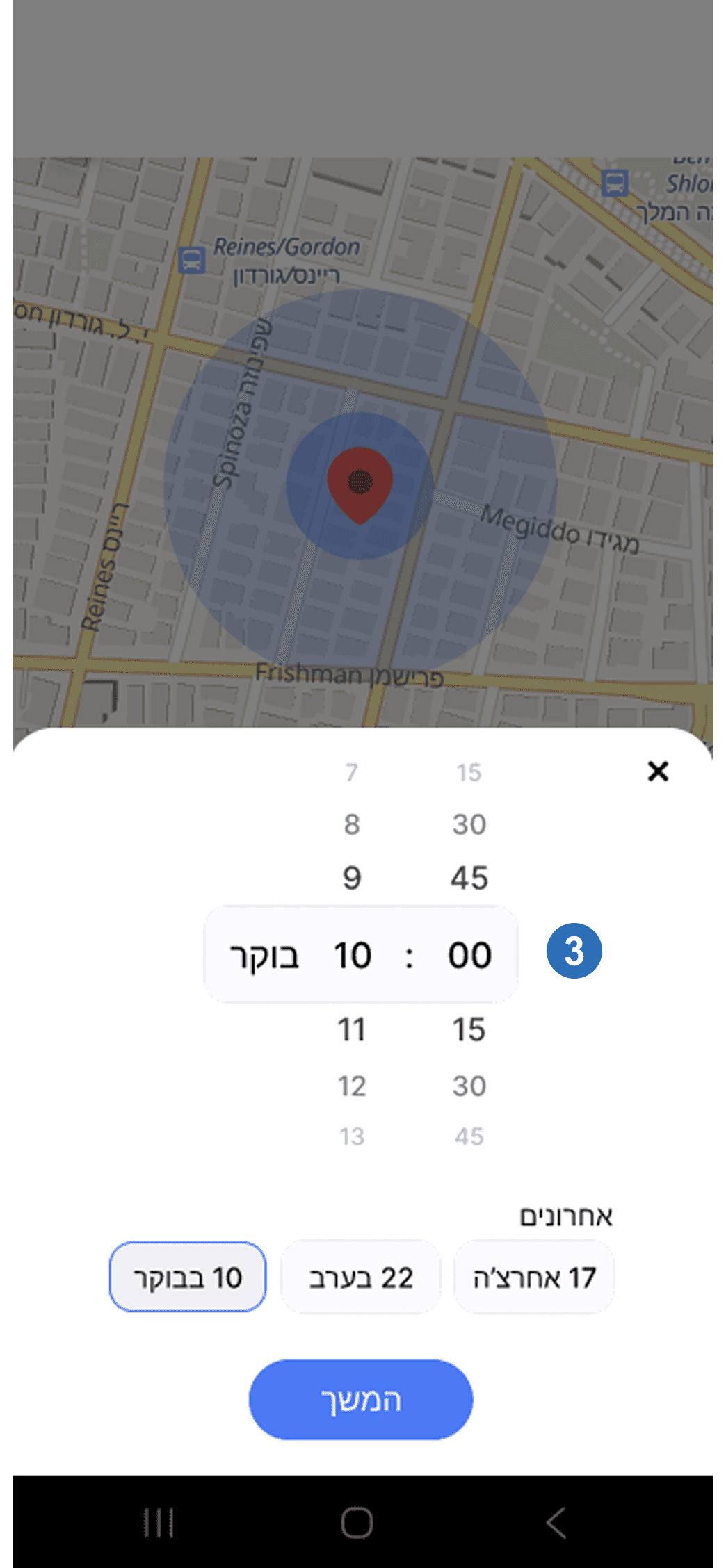
Simplified time selection by replacing unrealistic minute inputs with more practical parking duration increments.
Refined the parking duration flow to better align with the app’s primary target audience and real-world parking behavior.
Reorganized the date and time selection into clearer controls with practical presets, reducing manual input.
SCREEN 08
PARKING LIST EVOLUTION
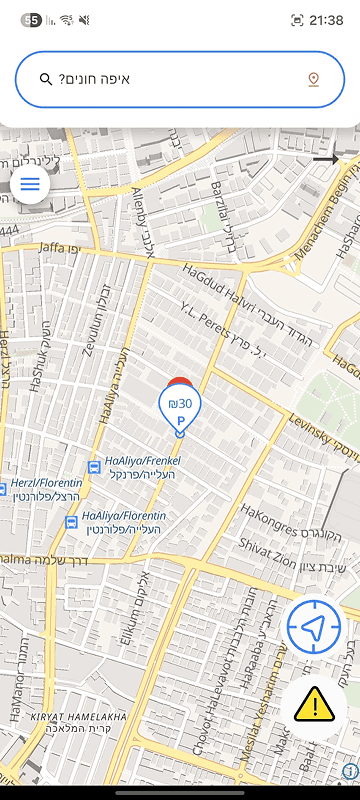
Parking list alpha

Parking scroller cards beta

Parking list final

Improved navigation clarity by reducing dead-end interactions and making the return flow more intuitive for users.
Added more visible back navigation and swipe-back interactions aligned with common mobile usability patterns.
Researched and explored list-based navigation solutions to better guide users while browsing parking options.
SCREEN 09
PARKING INFORMATION
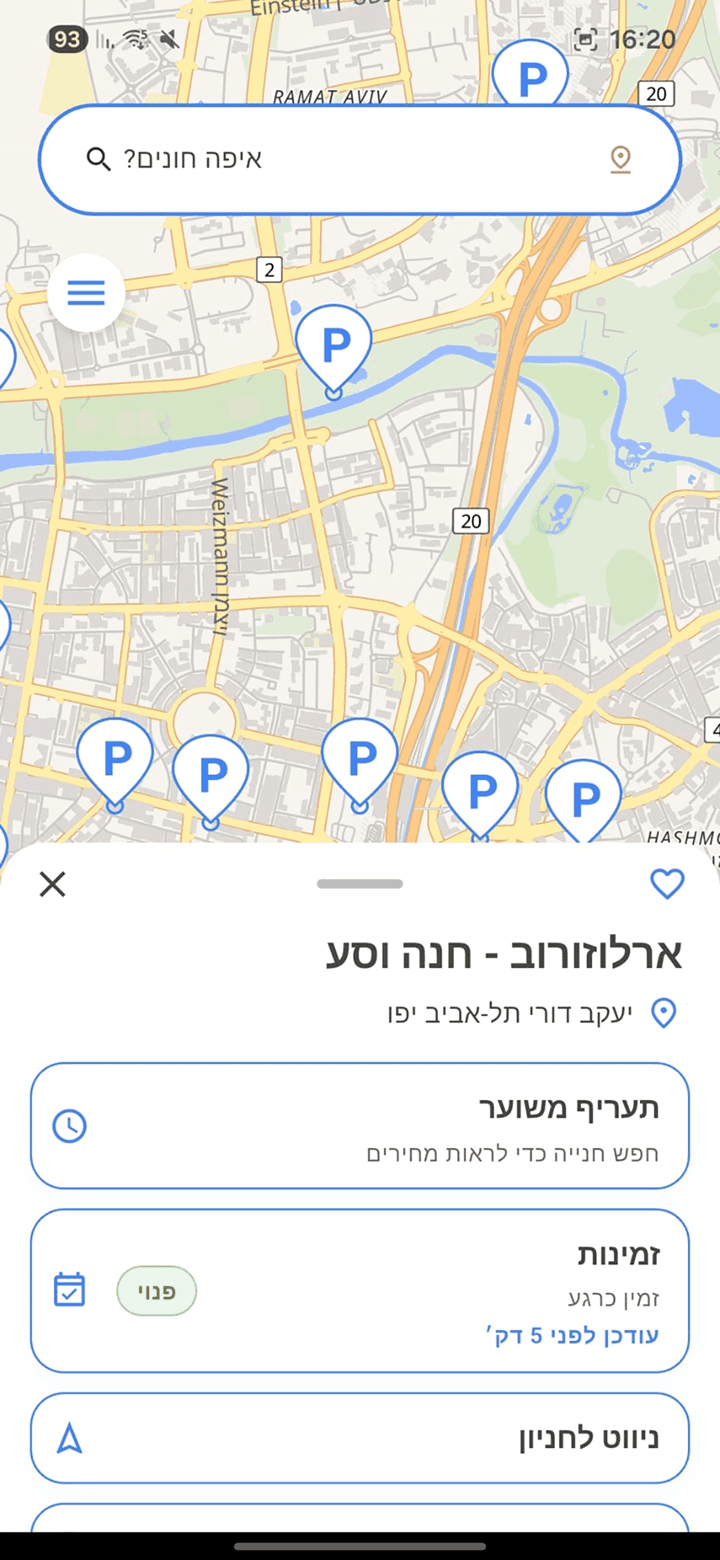
Parking card Improvements

Introduced multiple parking availability states such as “Last Spots” to better reflect real-time parking conditions in busy areas.
Expanded parking lot information to provide users with more detailed and useful data when comparing parking options.
Improved the favorites experience by adding a dedicated favorites category and a focused map view for saved locations.
Reorganized parking details into a clearer card hierarchy with grouped actions and visual information, making options easier to scan and compare.
SCREEN 10
NAVIGATION
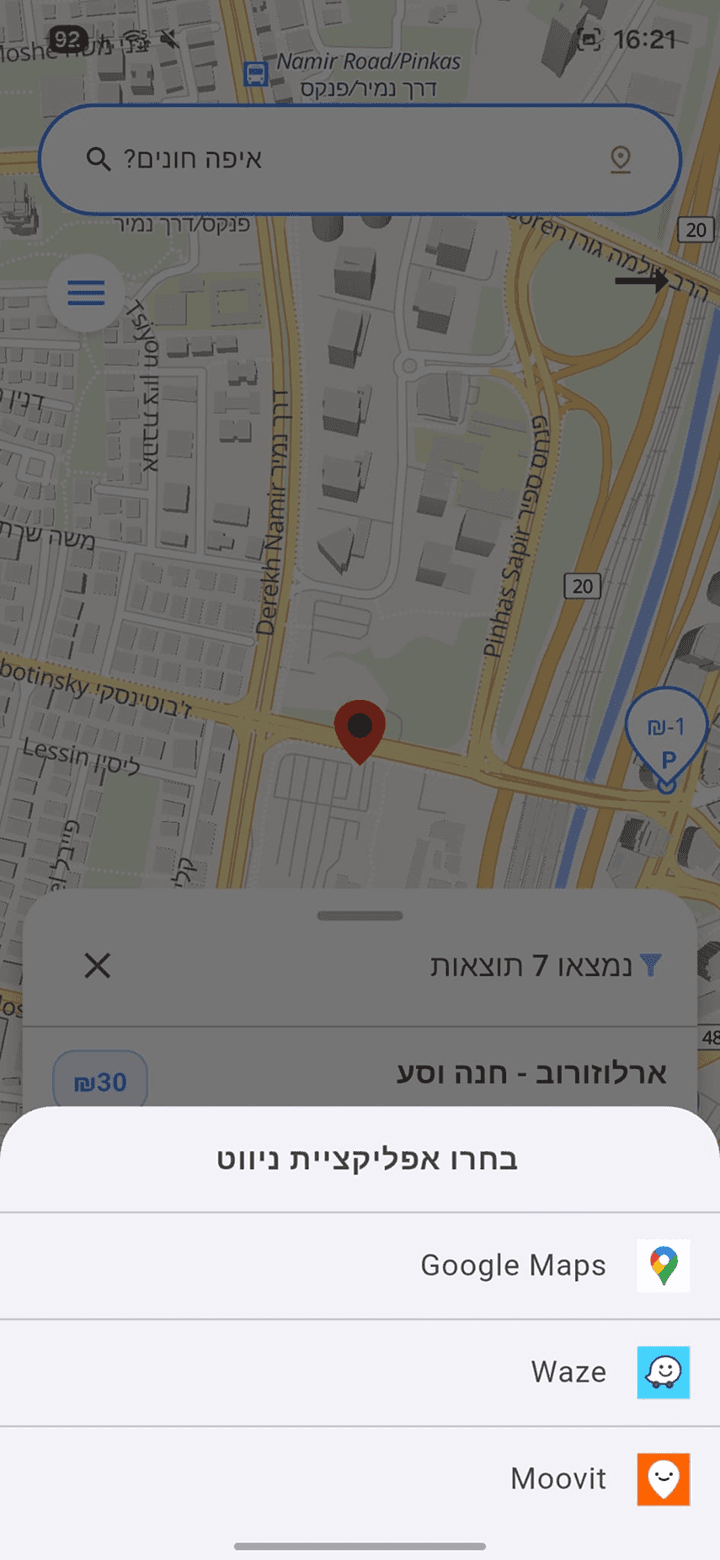
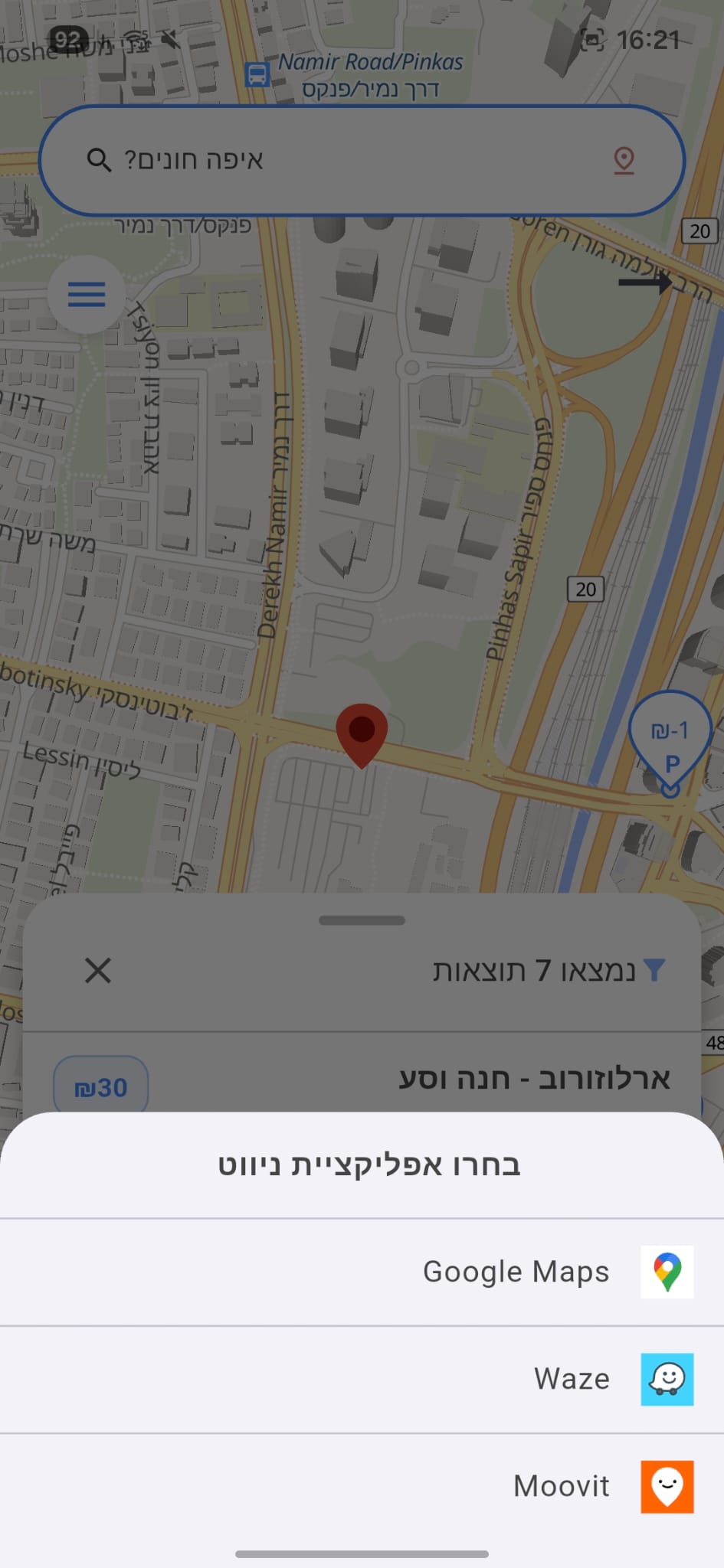
Navigation panel redesign

Improved navigation behavior by keeping users within the same flow after starting navigation actions, reducing unnecessary backward transitions and confusion.
SCREEN 11
SIDE MENU
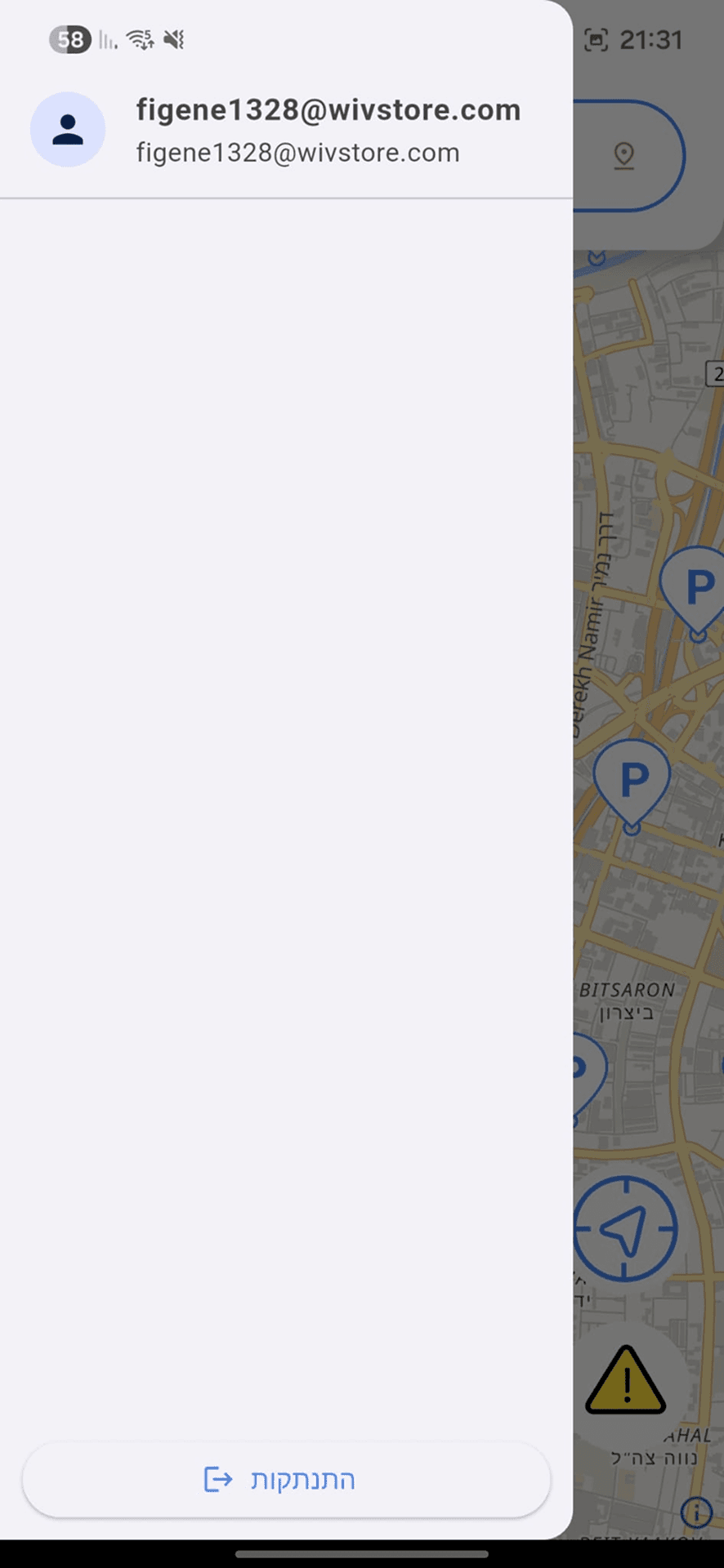
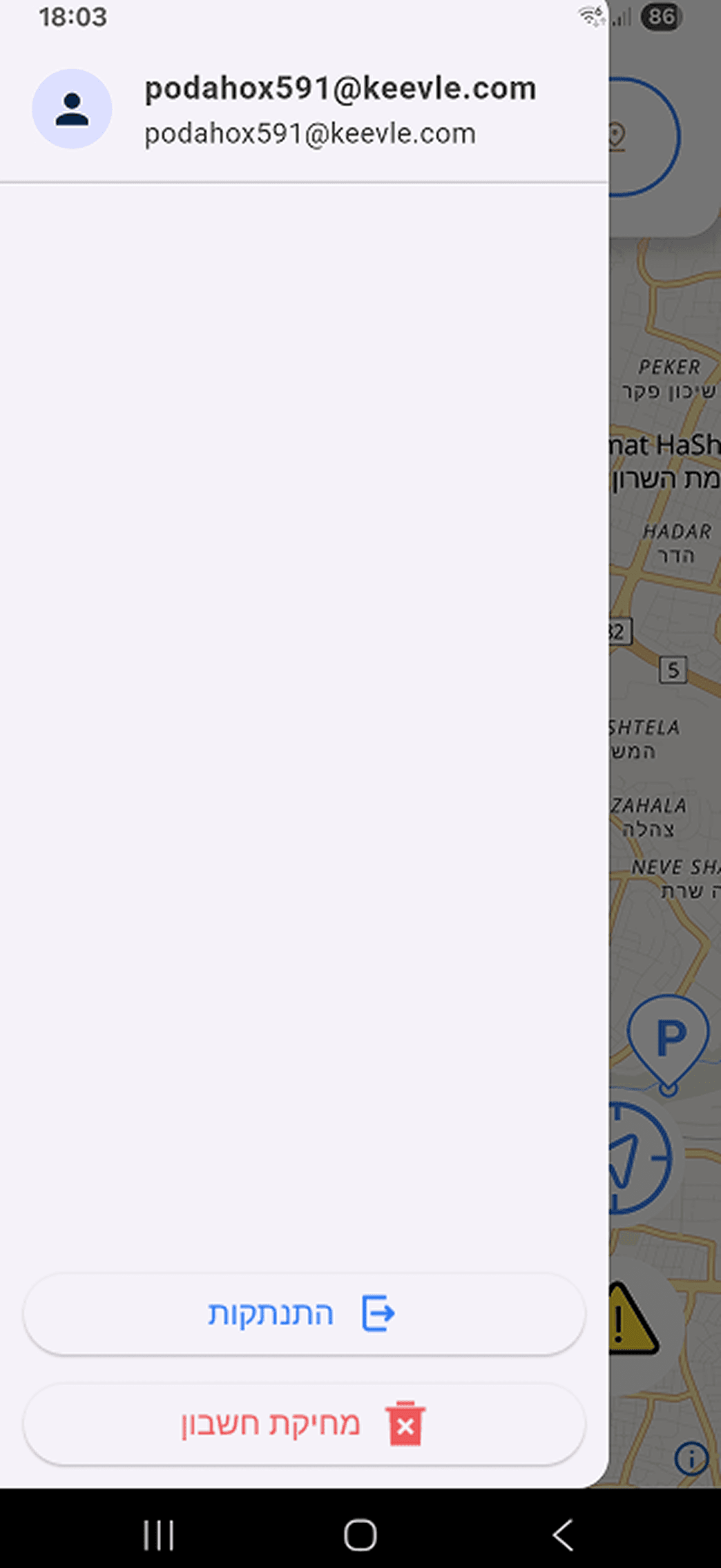
Side menu enhancements

Settings integration

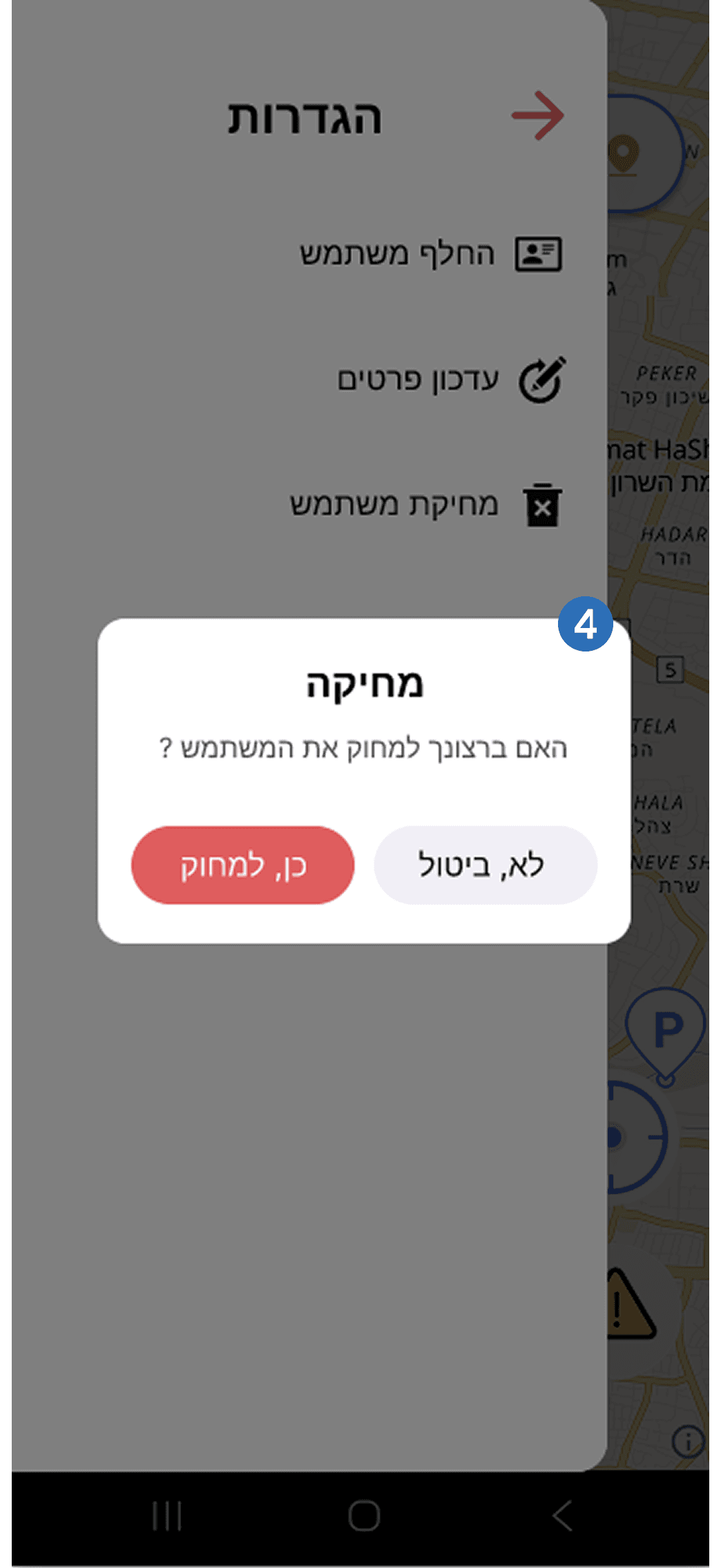
Delete account modal
Saved parkings map

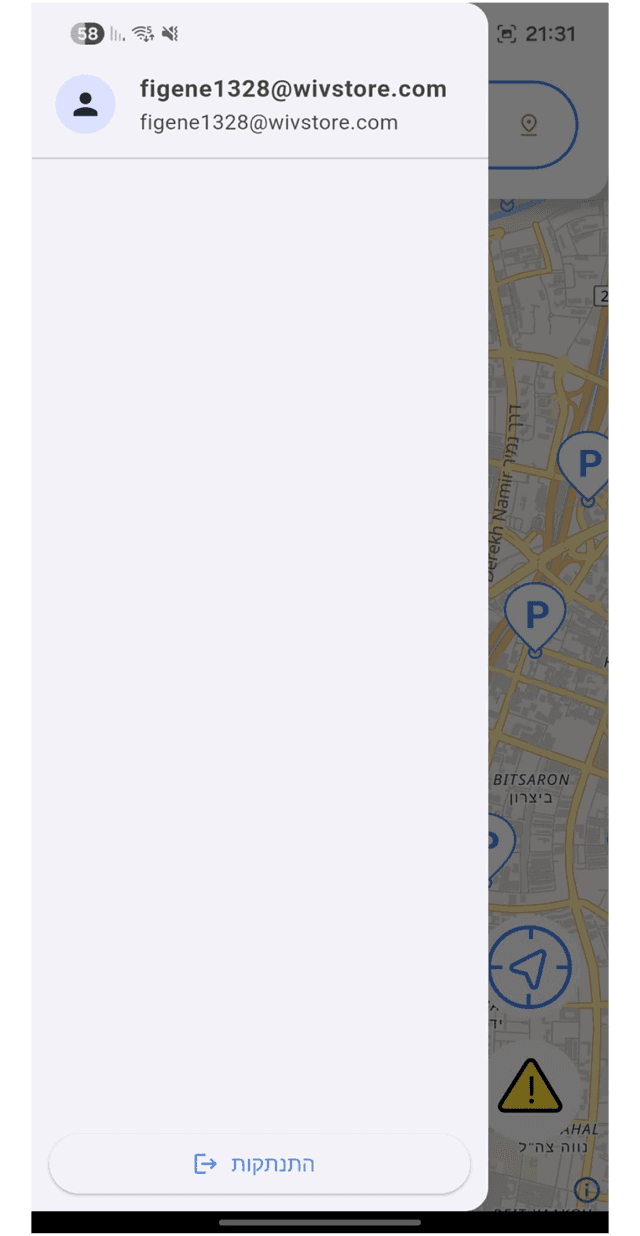
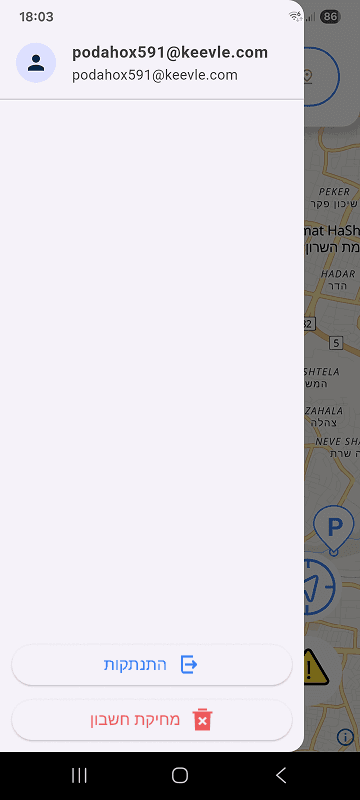
Expanded the side menu from an empty state into a functional navigation area with useful account and app options.
Added membership and ranking components to support monetization and encourage users to contribute parking data.
Added a dedicated settings area to organize account management and preferences.
Moved account deletion into settings and added a confirmation modal to prevent accidental deletion
Added a saved parking map to give users quick access to their favorite parking locations.
Landing page
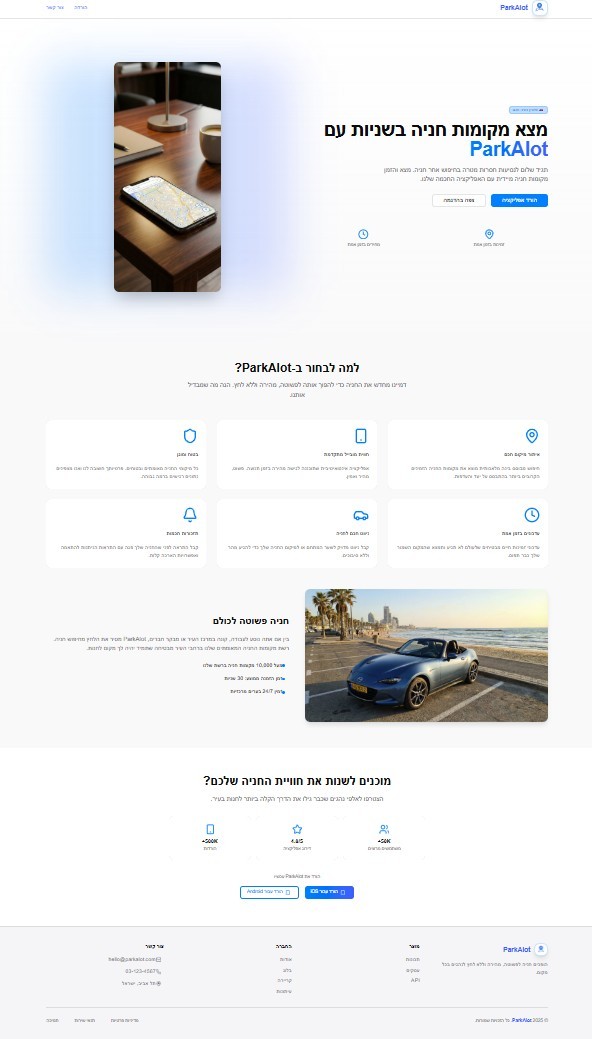
A rebrand of the product presented as a marketing site, with two redesign routes built in Figma and in React.
The new name was chosen for its familiarity within the parking space, helping the product feel more recognizable and credible. In addition, I conducted an SEO check for the landing page and identified improvements to support better visibility, structure, and search performance
Original page
Redesign A
Redesign B
Feedback
After the first official release the same 8 users were surveyed again, to measure whether the redesign actually improved.


© 2026 Artur's Portfolio.
© 2026 Artur's Portfolio.
ParkAlot
Redesigned core parking journey to help drivers find and navigate to nearby parking with less confusion.
Collaboration
1 Developer
Tools Used


The Challenge
The existing app was functional, but did not fully reflect how drivers search for parking under time pressure. The redesign focused on simplifying this journey.
Introduction
Introduction
The Goal
Simplify the parking experience by helping drivers quickly find, compare and choose nearby parking options while saving time and lowering costs in car-dependent urban environments.
The Problem
Independent drivers aged 24 and above who frequently search for nearby parking options in large urban areas.
User Flow
User Flow
The flow represents the app’s primary scenario, highlighting how it supports drivers who need to find nearby parking. The main flow consists of seven screens including the registration process, and five screens when the registration process is excluded.
User Survey
User Survey
METHOD
Qualitative, Semi-structured interviews
FORMAT
Face-to-face usability testing
SAMPLE
8 participants
WHY THIS APPROACH
The product was still in development and available only in test mode, so guerrilla approach testing was the fastest way to gather actionable feedback.
Before & After Screens
Every screen of the original build was reviewed against its redesign, from authentication through to the core parking flow.
Sign In / login
enhancements
Added a visible password toggle to reduce input errors during account creation.
Refined system notifications and microcopy to create a clearer and more professional onboarding experience.
Improved the transition between registration and login by introducing a clearer visual flow and reducing user confusion after sign-up.
SCREEN 01
AUTHENTICATION
Microcopy improvements
Refined button labels and CTA wording to better match the user’s current flow from entering the mobile app and reduce confusion.
SCREEN 02
ACCOUNT CONFIRMATION
Fixed report categories
Location pPermission prompt
Search & location controls
Exit app modal

SCREEN 03
MAP INTERACTIONS
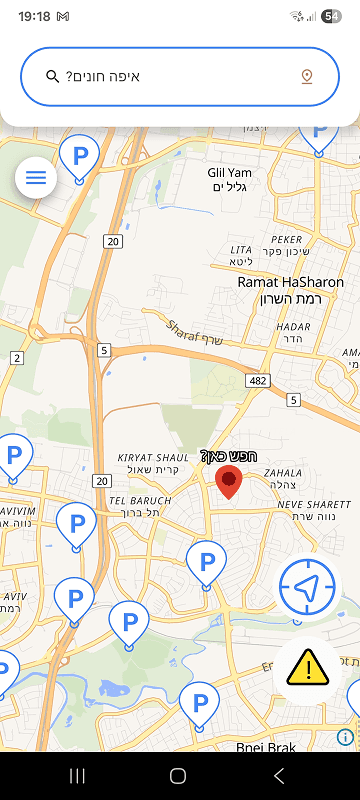
Improved location search
SCREEN 04
SEARCH INTERACTION
Expanded the clickable area of the search component so both the text and icon trigger the interaction.
Improved interaction feedback and touch responsiveness to reduce confusion and repeated presses.
Refined the “Search Here” interaction with clearer visual guidance and smoother transitions to improve usability.
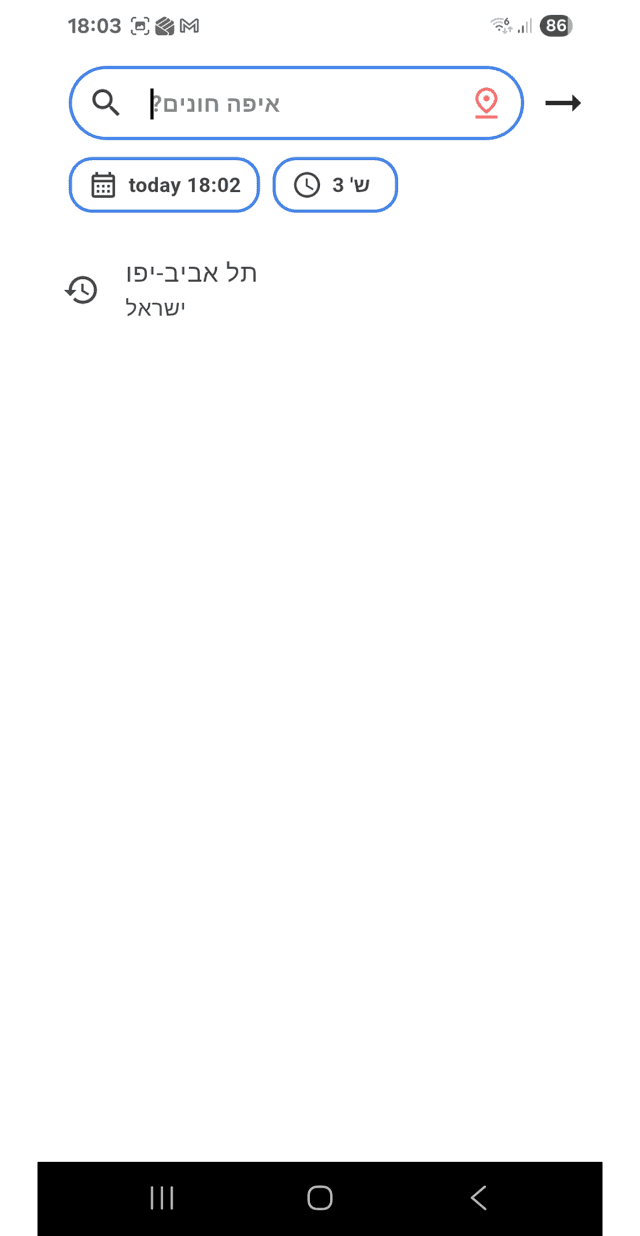
Search history
Clear searches history
Saved searches
Improved location search visibility and guidance to make the search flow more intuitive for users.
Refined the visual design and graphics to create a cleaner and more modern interface.
Added recent searches and favorites to improve accessibility and speed up repeated parking searches.
SCREEN 05
SEARCH EXPERIENCE
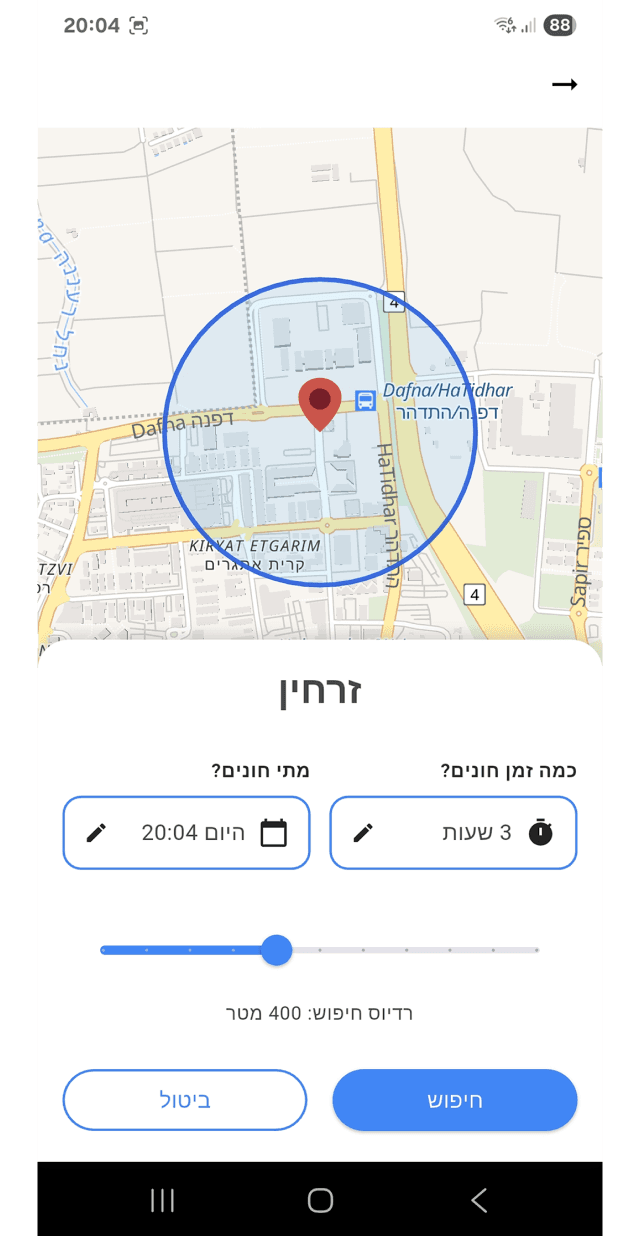
Parking location search
Nearby search
Refined the UI to improve visual clarity, consistency, and overall usability.
SCREEN 06
SEARCH PREFERENCES
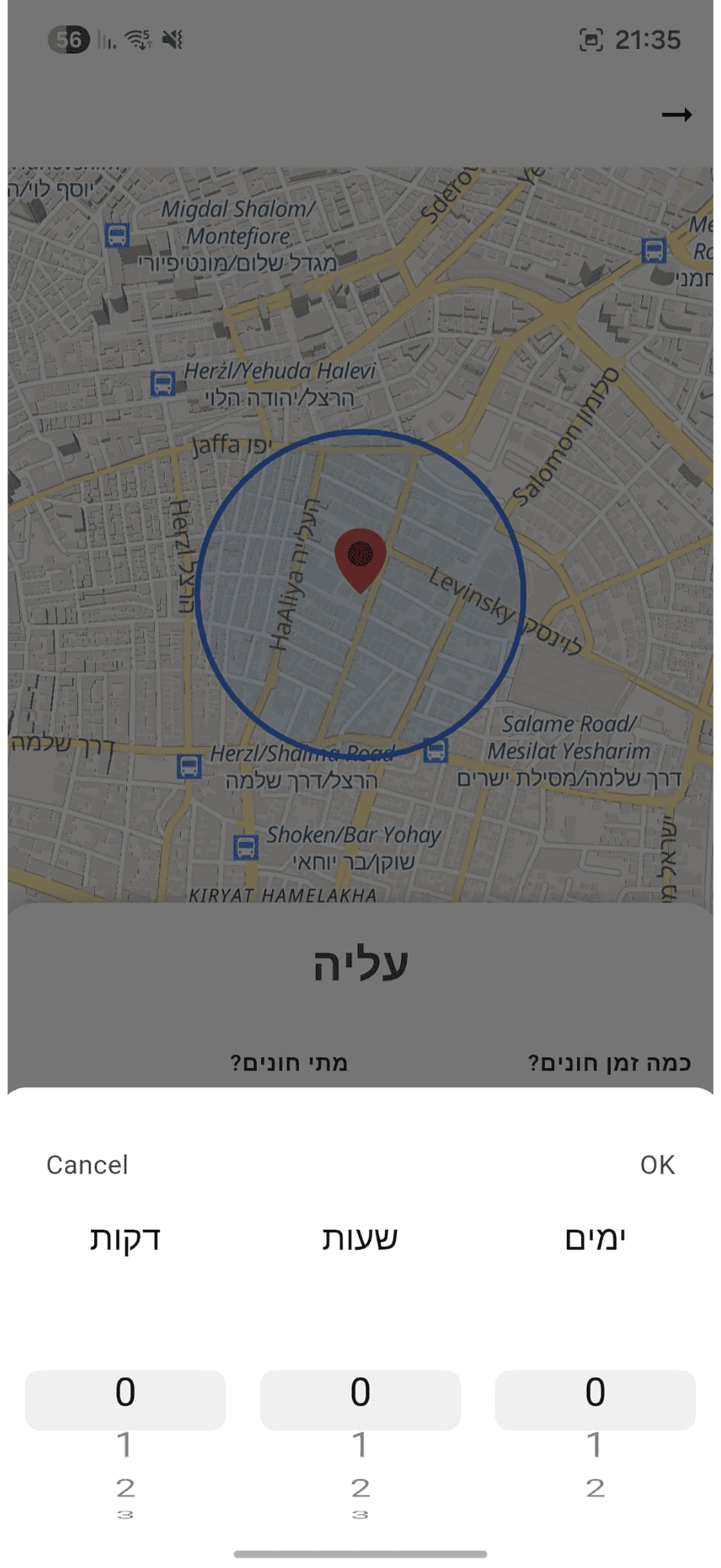
Time modal
Hour modal
Simplified time selection by replacing unrealistic minute inputs with more practical parking duration increments.
Refined the parking duration flow to better align with the app’s primary target audience and real-world parking behavior.
Reorganized the date and time selection into clearer controls with practical presets, reducing manual input.
SCREEN 07
INPUT INFORMATION
Parking card improvements


SCREEN 09
PARKING INFORMATION
Parking list alpha
Parking scroller cards Beta
Parking list final
Improved navigation clarity by reducing dead-end interactions and making the return flow more intuitive for users.
Added more visible back navigation and swipe-back interactions aligned with common mobile usability patterns.
Researched and explored list-based navigation solutions to better guide users while browsing parking options.
SCREEN 08
PARKING LIST EVOLUTION
Side menu enhancements
Settings integration
Delete account modal
Saved parkings map

SCREEN 11
SIDE MENU
Navigation panel redesign
Improved navigation behavior by keeping users within the same flow after starting navigation actions, reducing unnecessary backward transitions and confusion.
SCREEN 10
NAVIGATION
Feedback
After the first official release the same users were surveyed again, to measure whether the redesign actually landed.
Feedback
After the first official release the same 8 users were surveyed again, to measure whether the redesign actually improved.

Key Insights
Based on user comments and conclusions drawn from the data gathered during research.
1
1
Greater Map Control
Users wanted the ability to move and explore the map while choosing a parking lot instead of it being fixed, showing that spatial freedom is important for confident decisions.
2
2
More Flexible Date & Time Search
Participants preferred broader date ranges and manual input over quick selectors, indicating the need for more granular filtering options.
3
3
Data Accuracy & Coverage Matter
Some inconsistencies in parking prices and missing lot information reduced trust, highlighting the importance of up-to-date and complete data.
4
4
Overall Improvement
Most survey responses agreed that the redesign improved clarity, feature usefulness and the speed of finding parking, suggesting a positive usability trend.
Introduction
Introduction
ParkAlot is a parking app that helps drivers find, compare and choose nearby parking in car dependent cities. The existing build worked but was hard to use, so the product was reviewed screen by screen, redesigned around real drivers’ journeys and improved while preserving much of the developer’s original design system. It was then tested again with users after release.
ParkAlot
Redesigned core parking journey to help drivers find and navigate to nearby parking with less confusion.
View Prototype
Collaboration
1 Developer
Tools Used


The Challenge
The existing app was functional, but did not fully reflect how drivers search for parking under time pressure. The redesign focused on simplifying this journey.
context
The Goal
Simplify the parking experience by helping drivers quickly find, compare and choose nearby parking options while saving time and lowering costs in car-dependent urban environments.
The Problem
Independent drivers aged 24 and above who frequently search for nearby parking options in large urban areas.
User Flow
The flow represents the app’s primary scenario, highlighting how it supports drivers who need to find nearby parking. The main flow consists of seven screens including the registration process, and five screens when the registration process is excluded.
User Survey
METHOD
Qualitative, free-structured interviews
FORMAT
Face-to-face usability testing
SAMPLE
8 participants
WHY THIS APPROACH
The product was still in development and available only in test mode, so guerrilla approach testing was the fastest way to gather actionable feedback.
Before & After Screens
Every screen of the original build was reviewed against its redesign, from authentication through to the core parking flow.
The before screens reflect the dev team’s first attempt to translate their technical vision into a functional product and after screens was my attempt to fix user pain points and my notes.
Sign In / login enhancements
Added a visible password toggle to reduce input errors during account creation.
Refined system notifications and microcopy to create a clearer and more professional onboarding experience.
Improved the transition between registration and login by introducing a clearer visual flow and reducing user confusion after sign-up.
SCREEN 01
AUTHENTICATION
Microcopy improvements
Refined button labels and CTA wording to better match the user’s current flow from entering the mobile app and reduce confusion.
SCREEN 02
ACCOUNT CONFIRMATION
Fixed report categories
Location permission prompt
Search & location controls
Exit app modal
Added long-press map interaction to allow users to select locations visually without needing the exact street name.
Added an exit confirmation modal to prevent users from leaving the app immediately when pressing the back button.
Redesigned the search and menu area by combining components, simplifying the button shape, and reducing unnecessary map obstruction.
Introduced location permission approval on app entry and added dynamic location button states to better inform users about their current position.
Improved the problem-report system by adding clearer identifying icons and visually separated reporting categories.
SCREEN 03
MAP INTERACTIONS
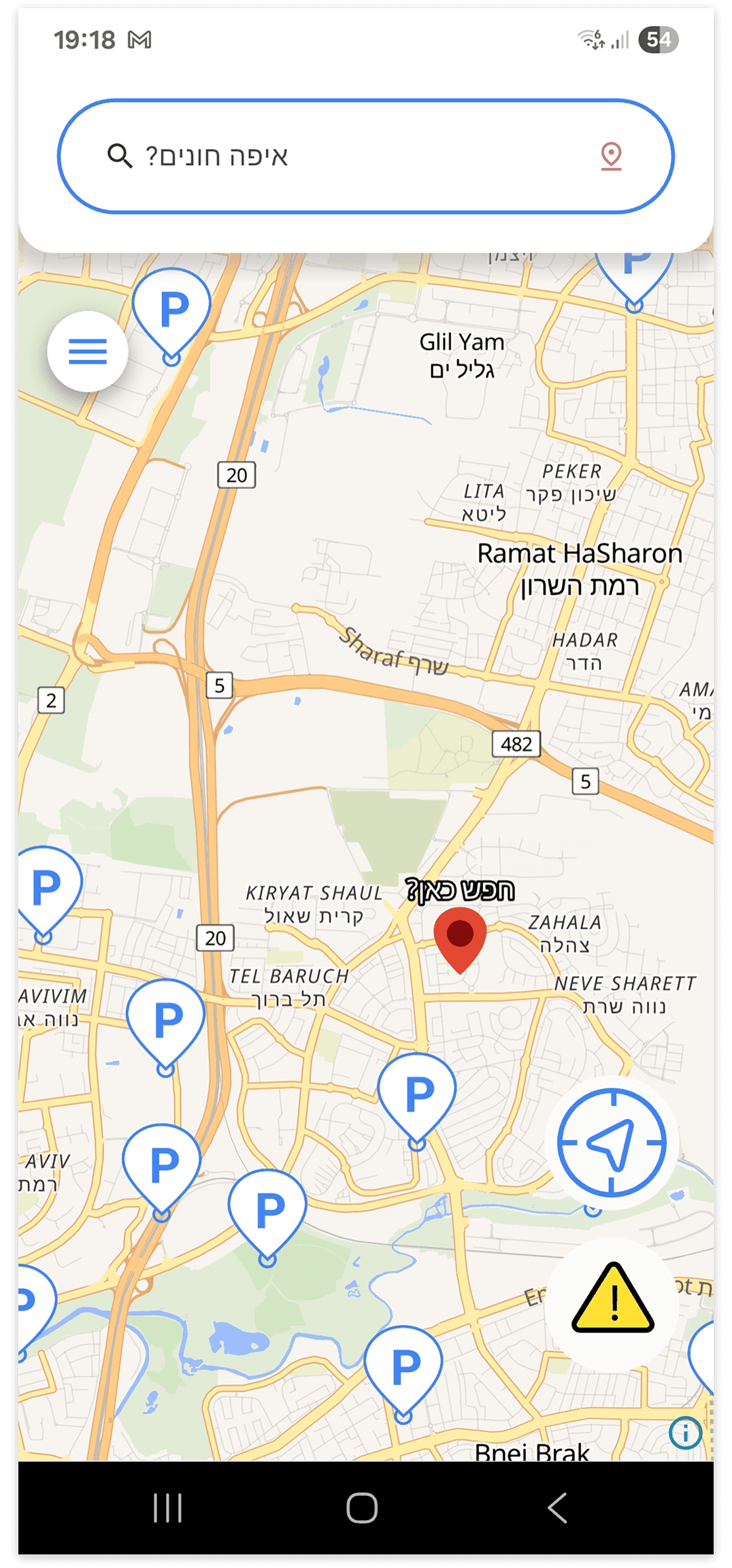
Improved location search
Expanded the clickable area of the search component so both the text and icon trigger the interaction.
Improved interaction feedback and touch responsiveness to reduce confusion and repeated presses.
Refined the “Search Here” interaction with clearer visual guidance and smoother transitions to improve usability.
SCREEN 04
SEARCH INTERACTION
Search history
Clear searches history
Saved searches
Improved location search visibility and guidance to make the search flow more intuitive for users.
Refined the visual design and graphics to create a cleaner and more modern interface.
Added recent searches and favorites to improve accessibility and speed up repeated parking searches.
SCREEN 05
SEARCH EXPERIENCE
Parking location search
Nearby search
Refined the UI to improve visual clarity, consistency, and overall usability.
SCREEN 06
SEARCH PREFERENCES
Time modal
Hour modal
Simplified time selection by replacing unrealistic minute inputs with more practical parking duration increments.
Refined the parking duration flow to better align with the app’s primary target audience and real-world parking behavior.
Reorganized the date and time selection into clearer controls with practical presets, reducing manual input.
SCREEN 07
INPUT INFORMATION
Parking card improvements
Introduced multiple parking availability states such as “Last Spots” to better reflect real-time parking conditions in busy areas.
Expanded parking lot information to provide users with more detailed and useful data when comparing parking options.
Improved the favorites experience by adding a dedicated favorites category and a focused map view for saved locations.
Reorganized parking details into a clearer card hierarchy with grouped actions and visual information, making options easier to scan and compare.
SCREEN 09
PARKING INFORMATION
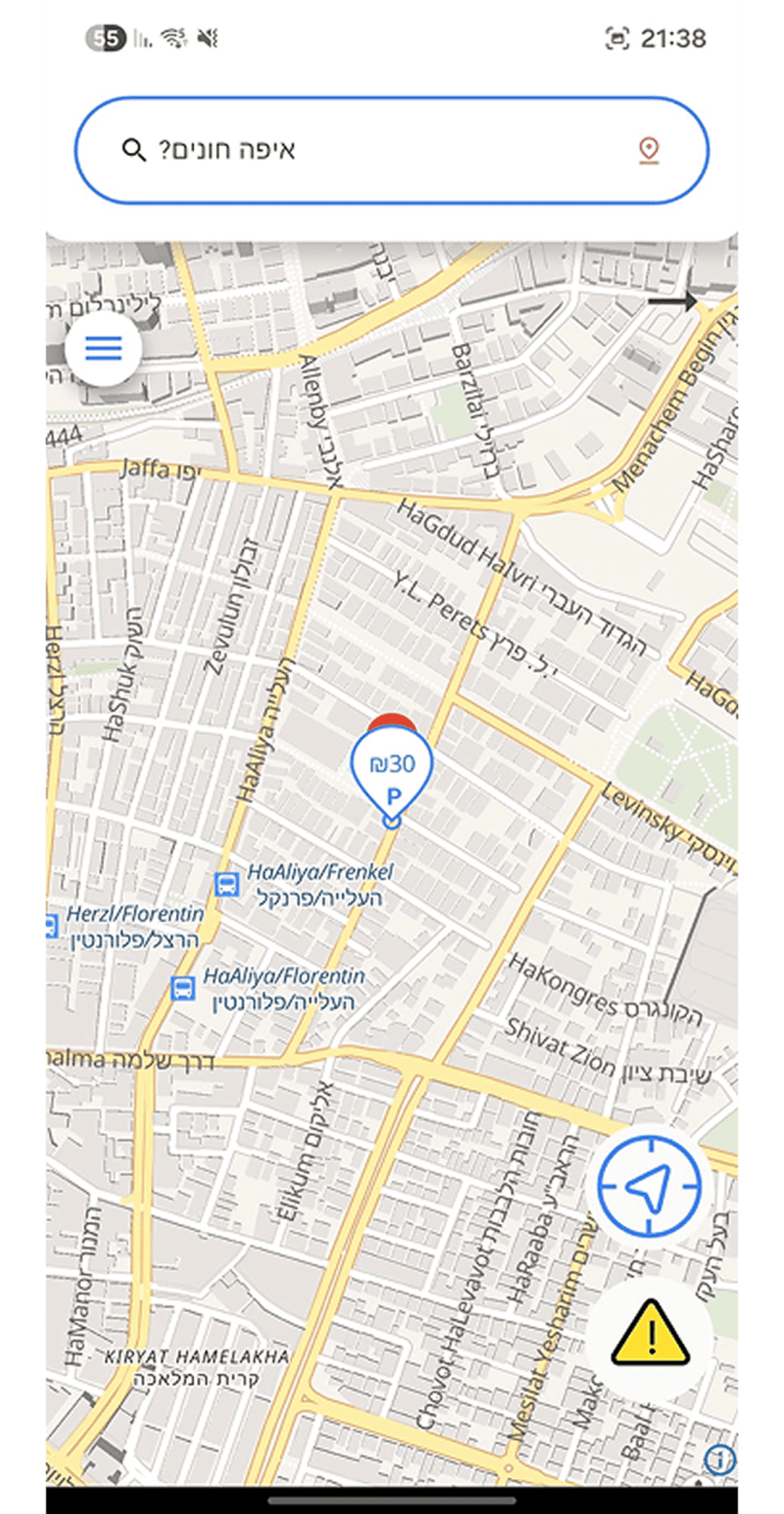
Parking list final
Parking list alpha
Parking scroller cards Beta
Improved navigation clarity by reducing dead-end interactions and making the return flow more intuitive for users.
Added more visible back navigation and swipe-back interactions aligned with common mobile usability patterns.
Researched and explored list-based navigation solutions to better guide users while browsing parking options.
SCREEN 08
PARKING LIST EVOLUTION
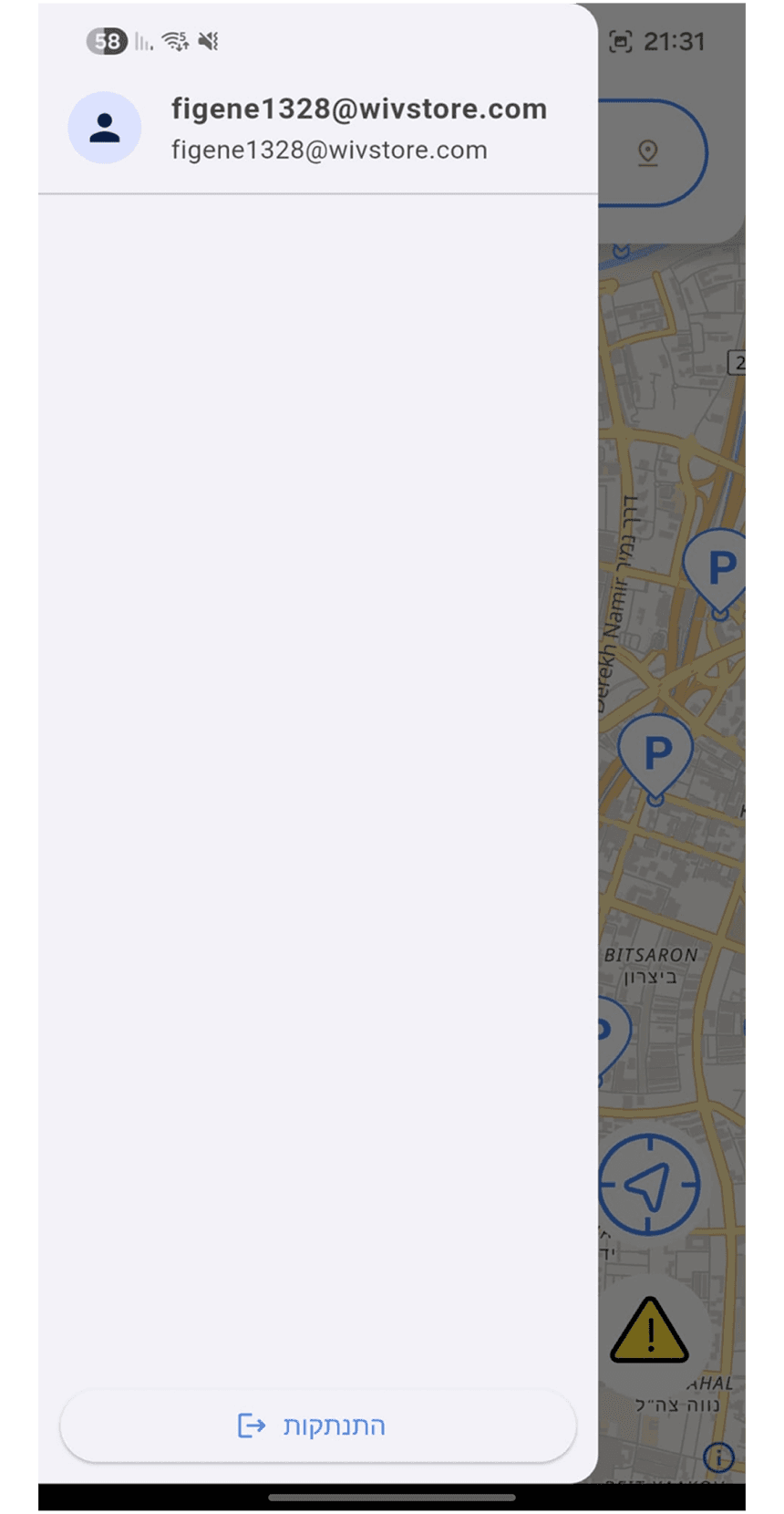
Side menu enhancements
Settings integration
Delete account modal
Saved parkings map
Expanded the side menu from an empty state into a functional navigation area with useful account and app options
Added a dedicated settings area to organize account management and preferences.
Moved account deletion into settings and added a confirmation modal to prevent accidental deletion
Added membership and ranking components to support monetization and encourage users to contribute parking data.
Added a saved parking map to give users quick access to their favorite parking locations.
SCREEN 11
SIDE MENU
Navigation panel redesign
Improved navigation behavior by keeping users within the same flow after starting navigation actions, reducing unnecessary backward transitions and confusion.
SCREEN 10
NAVIGATION
Landing page
A rebrand of the product presented as a marketing site, with two redesign routes built in Figma and in React. The new name was chosen for its familiarity within the parking space, helping the product feel more recognizable and credible. In addition, I conducted an SEO check for the landing page and identified improvements to support better visibility, structure, and search performance
Original page
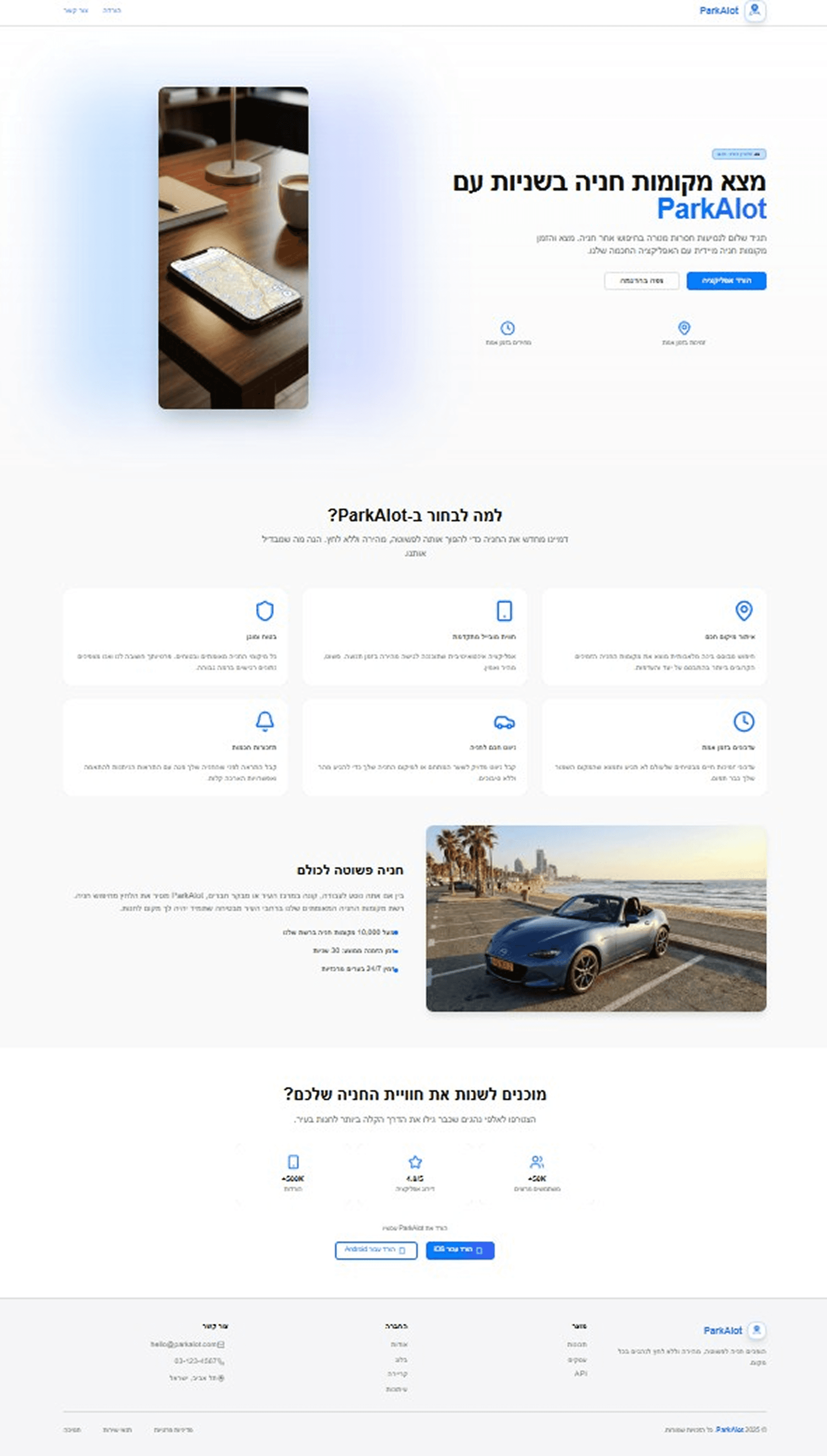
Redesign A
Redesign B
Feedback
After the first official release the same 8 users were surveyed again, to measure whether the redesign actually improved.
Key Insights
Based on user comments and conclusions drawn from the data gathered during research.
1
Greater Map Control
Users wanted the ability to move and explore the map while choosing a parking lot instead of it being fixed, showing that spatial freedom is important for confident decisions.
2
More Flexible Dtate & Time Search
Participants preferred broader date ranges and fully manual input over quick selectors, indicating the need for more granular filtering options.
3
Data Accuracy & Coverage Matter
Some inconsistencies in parking prices and missing lot information reduced trust, highlighting the importance of up-to-date and complete data.
4
Overall Improvement
Most survey responses agreed that the redesign improved clarity, feature usefulness and the speed of finding parking, suggesting a positive usability trend.

Introduction
ParkAlot is a parking app that helps drivers find, compare and choose nearby parking in car-dependent cities. The existing build worked but was hard to use, so the product was reviewed screen by screen, redesigned around real drivers’ journeys and improved while preserving much of the developer’s original design system. It was then tested again with users after release.
© 2026 Artur's Portfolio.